# Biometric Devices
# Introduction
The biometric device syncs attendance records directly with RadixHR, enabling automatic calculation of working hours, late entries, overtime, and leave adjustments. This integration helps HR teams save time, improve compliance, and gain complete visibility into employee attendance with minimal administrative effort. By using biometric authentication like fingerprint or facial recognition, organizations can eliminate manual errors, prevent proxy attendance, and ensure reliable workforce data.
# Primary Info
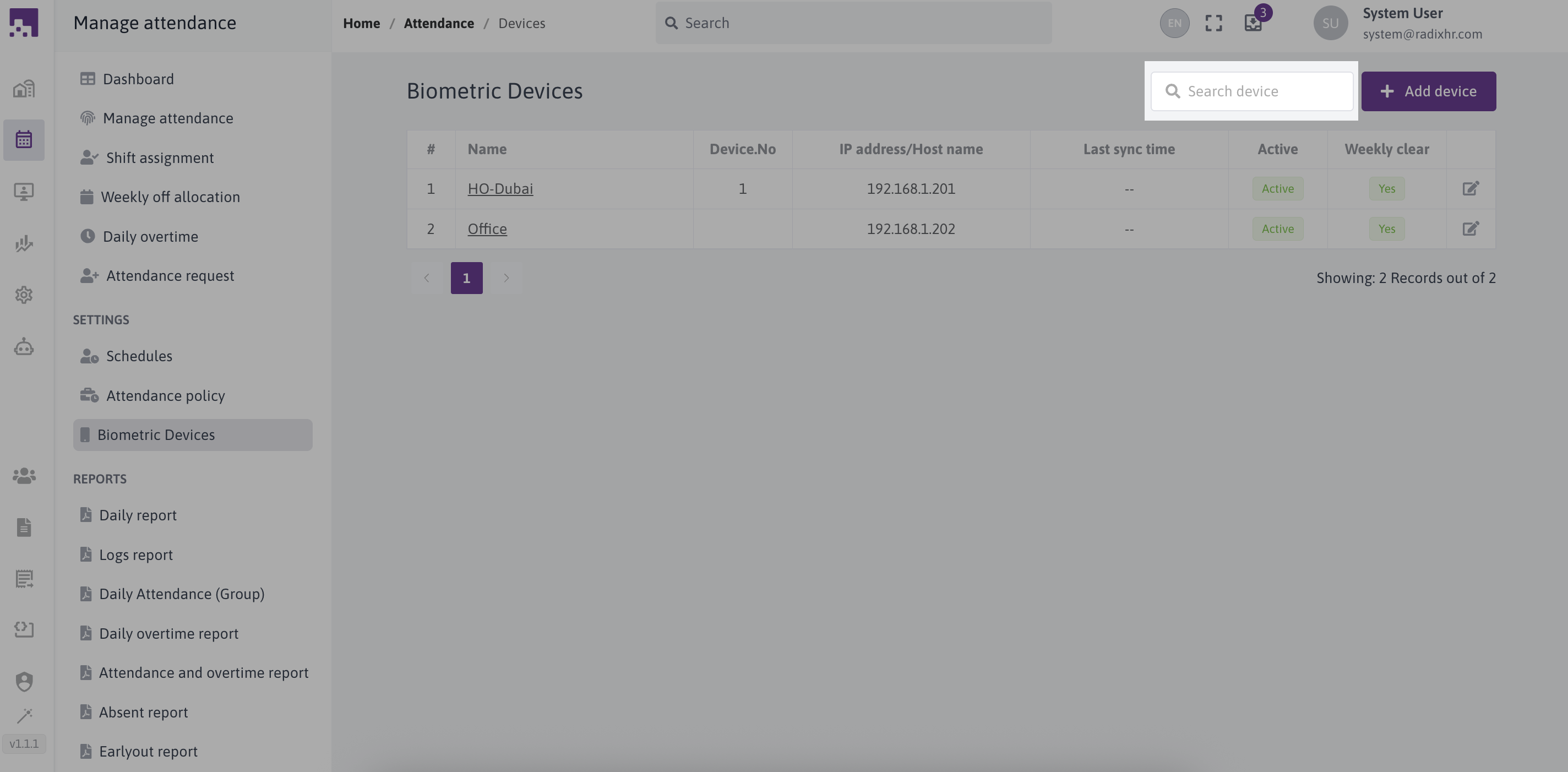
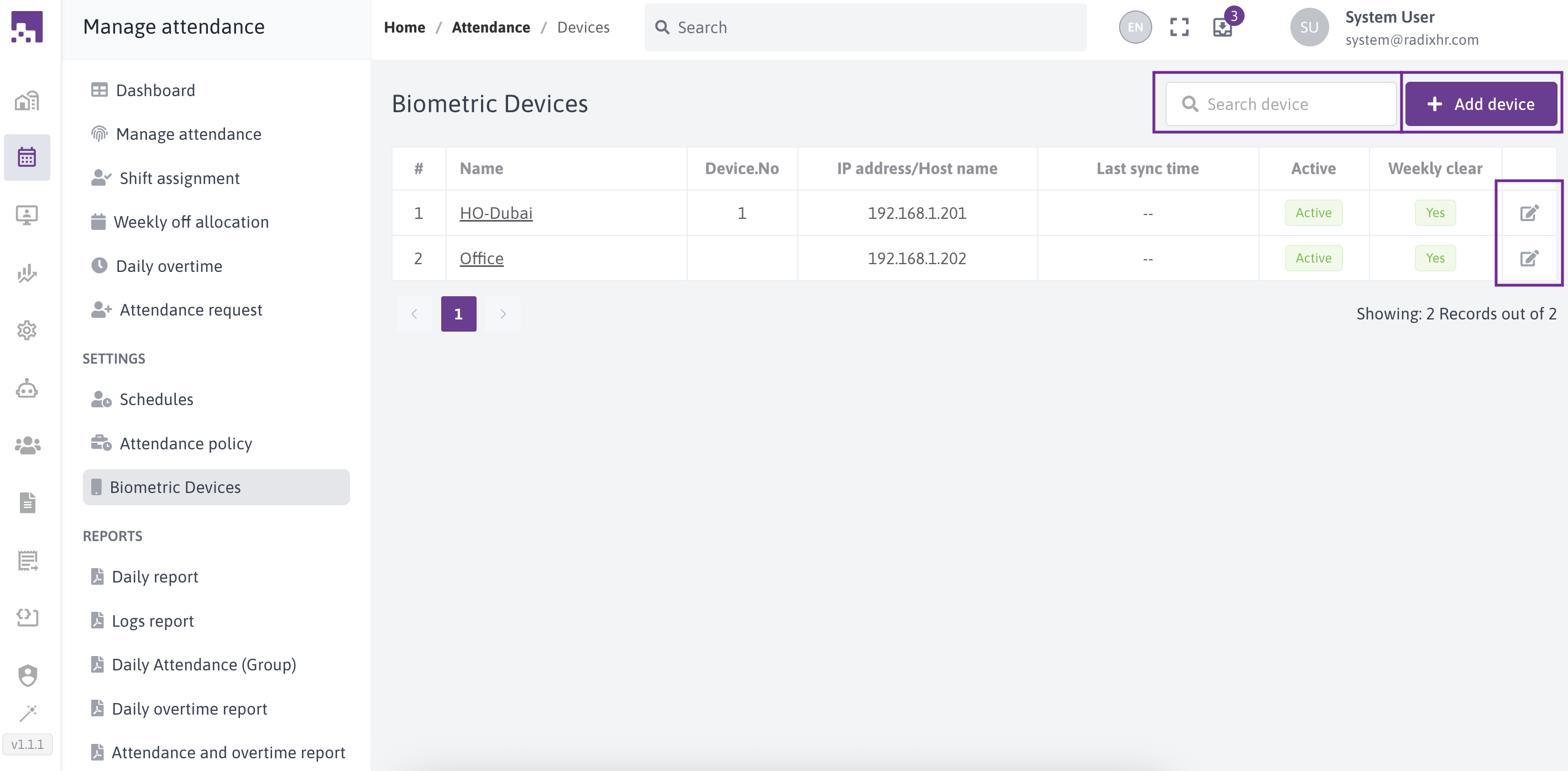
In this screen we can see 3 options to add new device, edit device, and search device.
# Add new device
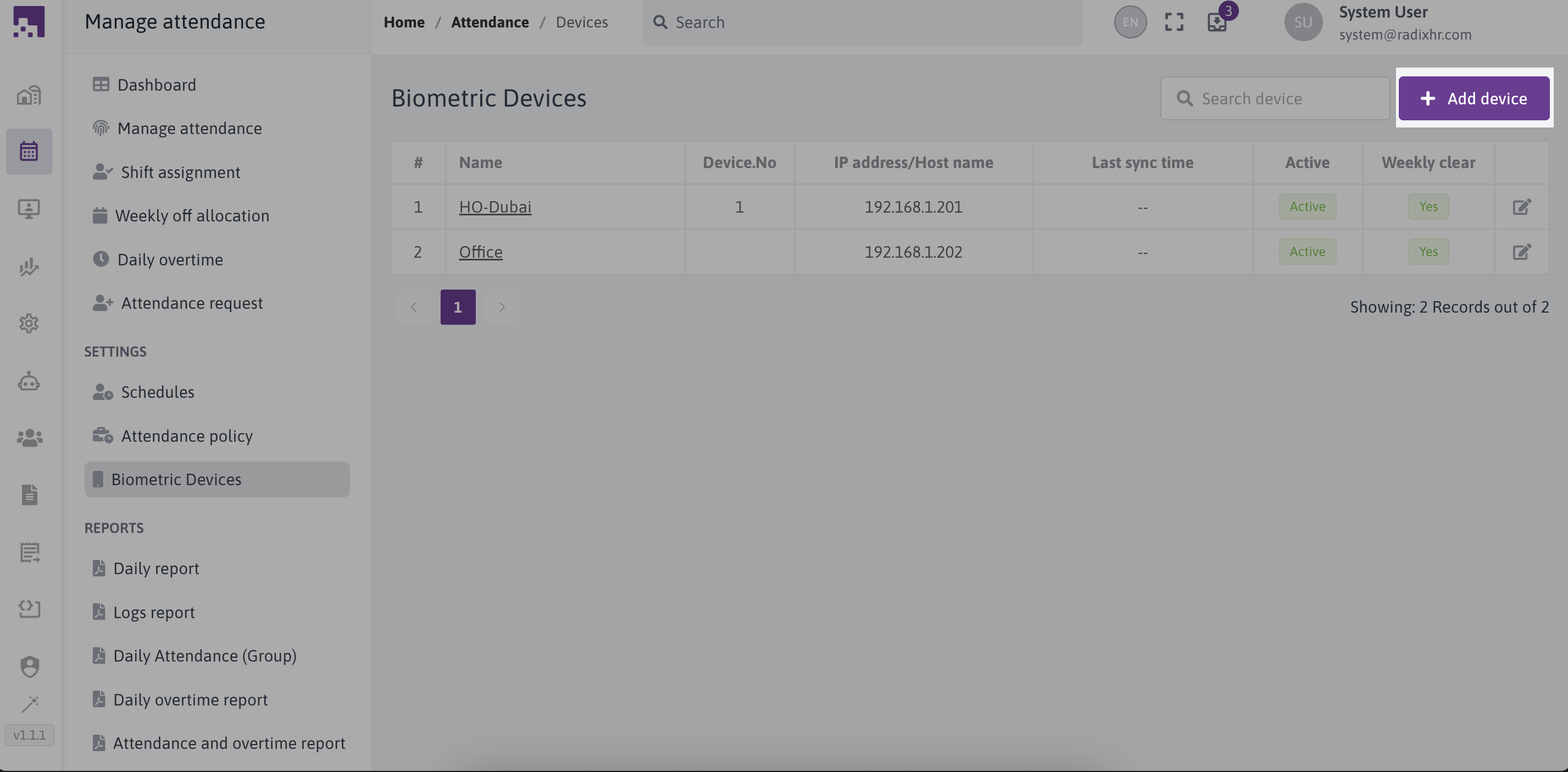
To add new device we need to click Add device icon
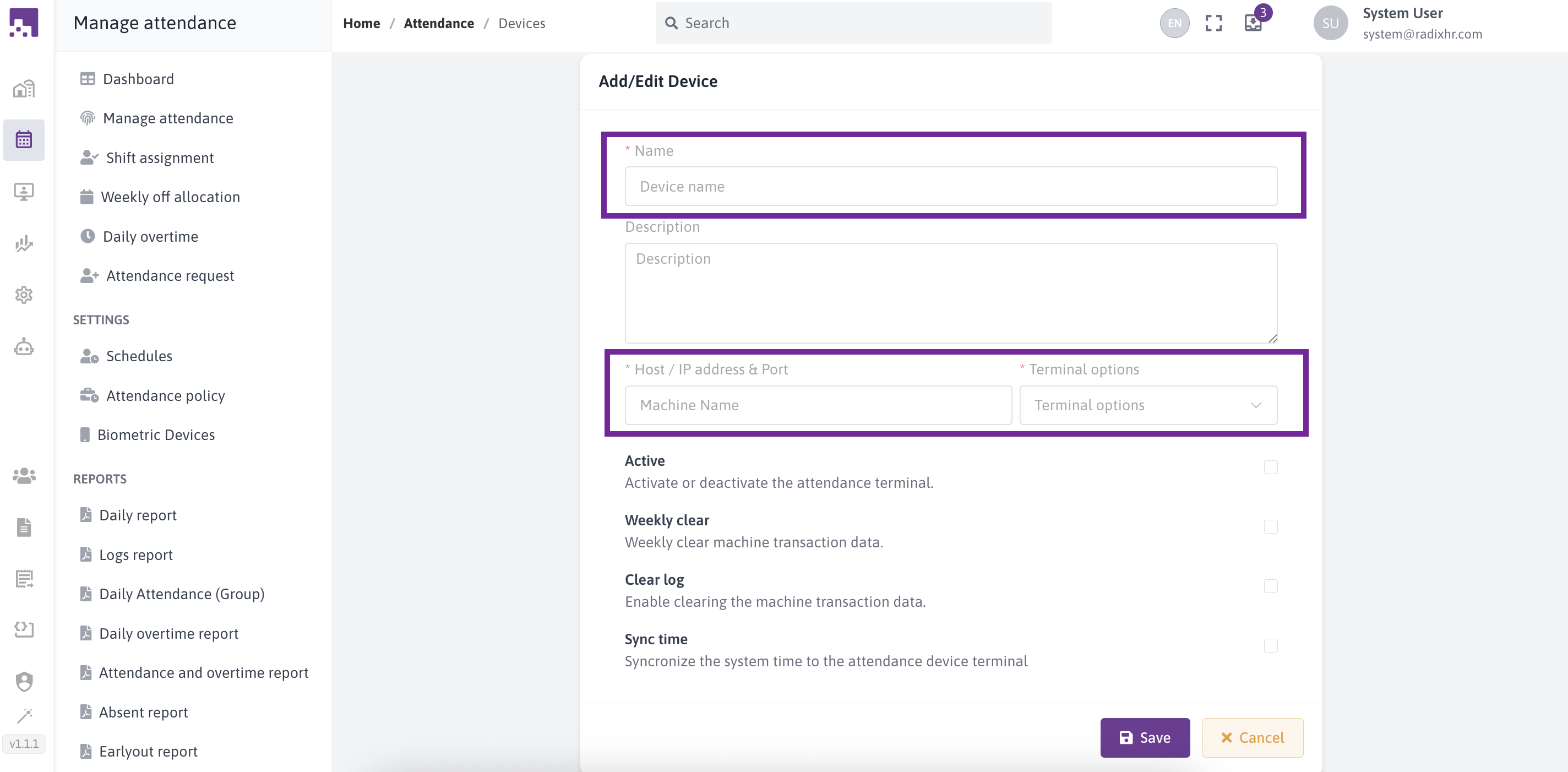
Then we need to fill the mandatory fields. it includes;
- Device name
- Host / IP address & Port
- Terminal options ( IN, OUT, INOUT, FKEY )
# Edit or Delete devices
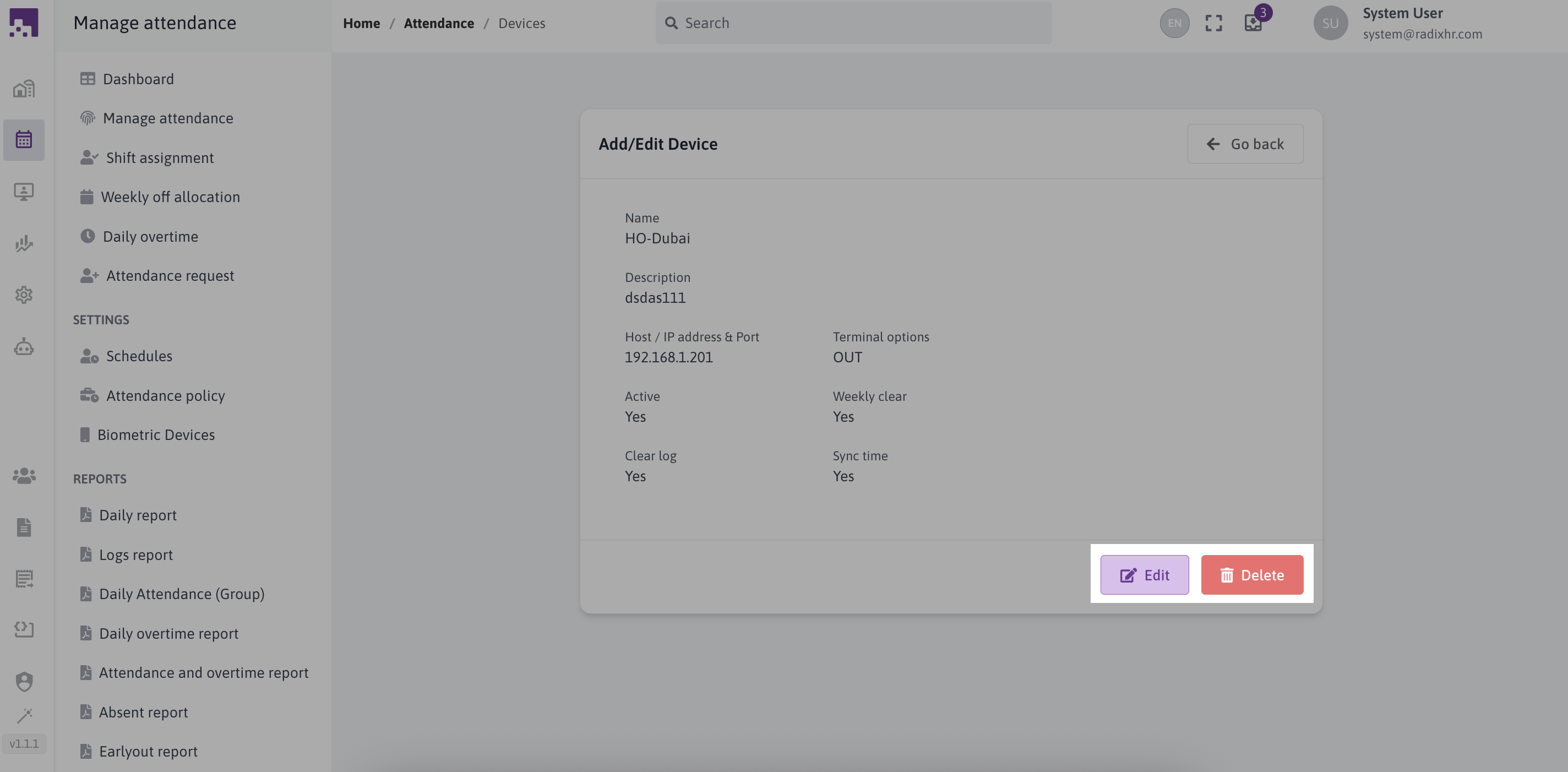
To view or edit an Device, just click on their respective row or edit icon.

If you need to edit or delete the device you can do it by clicking edit or delete icons on the bottom of the page;
# Search devices
To view or search an Device, just click on the search bar with search icon.