For Employees
Welcome to RadixHR! This section is written for you as an employee — it covers everything you can do for yourself, without having to email HR. Check your attendance, request time off, look at your payslip, keep your profile up to date, upload your documents, and stay in the loop with company news.
What you can do here:
- Start each day from Home — see what needs your attention and jump straight to it
- Keep your profile current: personal details, dependents, emergency contacts, and bank account
- Check your attendance and raise a correction if a day looks wrong
- Request leave, watch it move through approval, and see how many days you have left
- See your payslips and salary breakdown, claim an expense, or ask for a salary advance
- Upload your documents and request official letters such as a salary certificate
- Track every request you’ve made, view the assets issued to you, and read Community posts
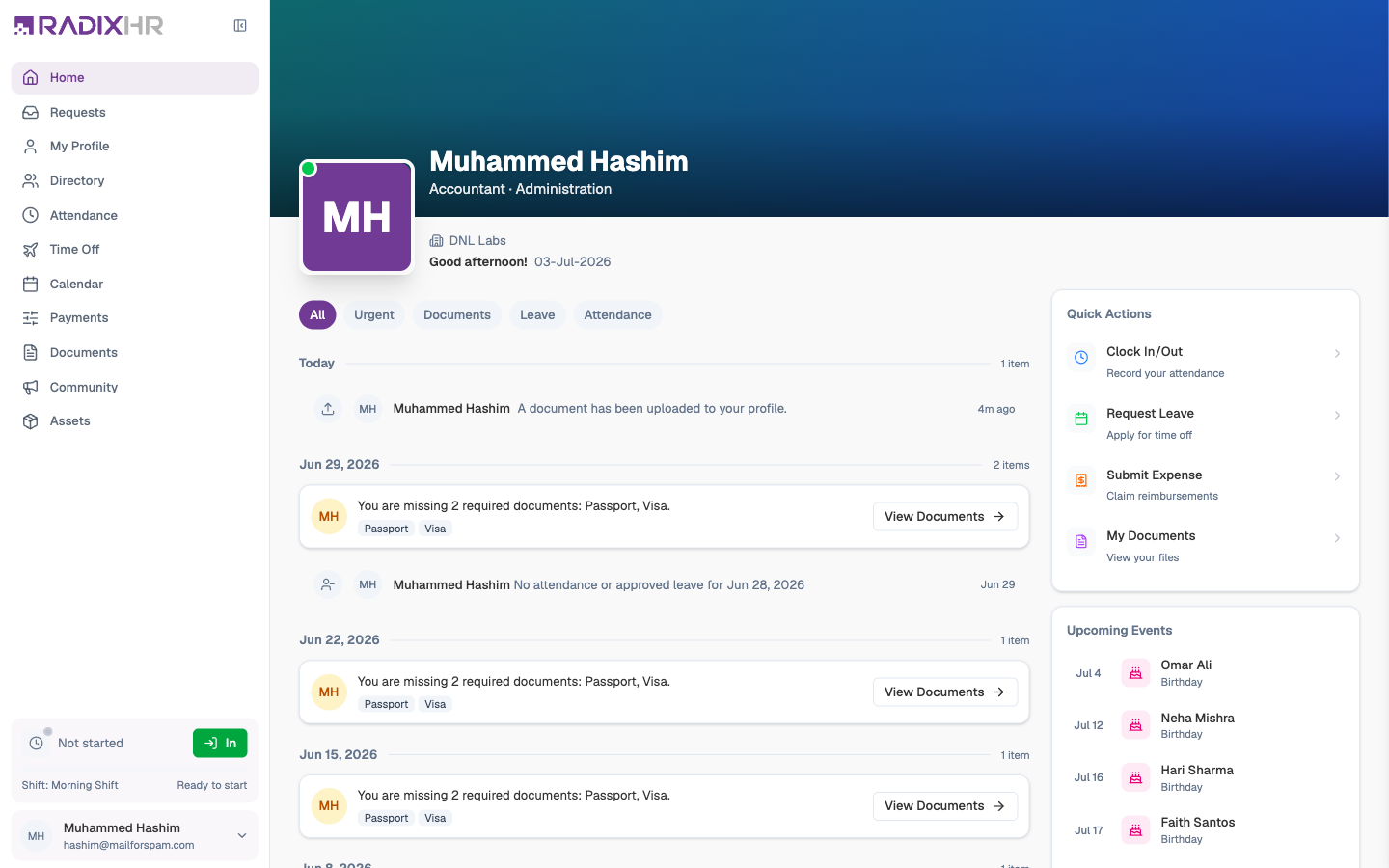
Your Sidebar
When you sign in as an employee, the sidebar on the left shows only the pages that are about you. From top to bottom:
| Menu item | What it’s for | Guide |
|---|---|---|
| Home | Your daily dashboard — alerts, quick actions, and upcoming events | Your Home |
| Requests | Every request you’ve submitted, in one list | My Requests |
| Ask AI | Ask questions about your data in plain language | — |
| My Profile | Your personal record — details, dependents, contacts, salary, bank, leave | Your Profile |
| My Attendance | Your working hours, week by week, and attendance corrections | Clock In & Attendance |
| My Time Off | Leave balances, leave requests, and encashment | Time Off & Leave |
| Team Calendar | A month view of your leave and public holidays | Calendar |
| Pay | Payslips, salary breakdown, expense claims, and advances | My Pay |
| My Documents | Your personal file store and document requests | My Documents |
| Community | Company announcements, policies, training, and events | Community |
| My Assets | The laptop, phone, and other equipment issued to you | My Assets |
What you see depends on your role. Managers and HR users get extra tools (a My Workspace / Platform switch at the top of the sidebar, team views, approvals, and settings). Those are covered in the main sections of this documentation — this section sticks to the employee view.
”I want to…” — Where to Go
| I want to… | Go to |
|---|---|
| See what I need to do today | Home → the alert feed and its Urgent filter |
| Book a holiday | My Time Off → Request Leave |
| Check how many leave days I have left | My Time Off (or My Profile → Leave) |
| Fix a missing clock-in or clock-out | My Attendance → New Request |
| Download last month’s payslip | Pay → Payslips tab |
| Claim back money I spent for work | Pay → Requests → Expenses → Submit Expense |
| Ask for a salary advance or loan | Pay → Requests → Claims & Deductions → New Request |
| Upload my passport or Emirates ID | My Documents → + New → Upload file |
| Get a salary certificate for a bank | My Documents → + New → Request a document |
| Change my bank account | My Profile → Bank Details → Add Account |
| Add a family member or emergency contact | My Profile → Dependents / Contacts |
| See where my request is stuck | Requests → open the request → Approval Path |
Your Self-Service Pages
New to RadixHR? Start with Your Home to learn the daily dashboard, then complete Your Profile — a complete profile (bank account, emergency contacts, required documents) means fewer chasers from HR.