My Assets
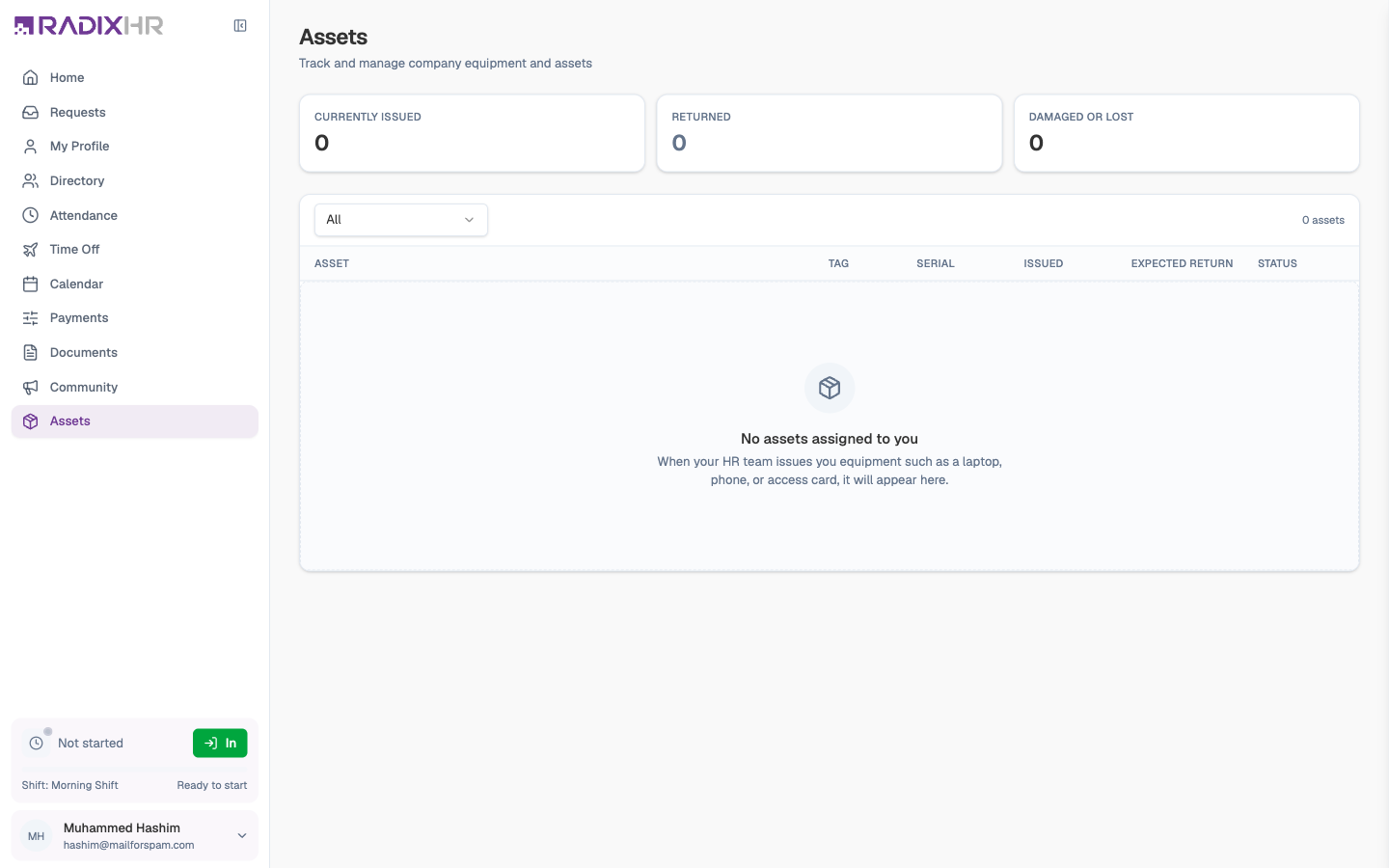
My Assets lists the company property issued to you — laptop, phone, monitor, access card, and anything else you’ve been given for work — with its tag and serial number, when you got it, and when it’s due back. It’s the record HR uses when you return equipment or leave the company, so it pays to check it’s right.
What you can do here:
- See every asset currently issued to you, and those you’ve returned
- Check each item’s tag, serial number, issue date, and expected return date
- Spot anything marked overdue, damaged, or lost
- Open an asset to read the description and the notes made when it was issued
Reading the List
Three cards at the top count what’s Currently Issued, what’s been Returned, and anything Damaged or Lost. The dropdown above the table filters it to All, Currently issued, or Returned; the count on the right shows how many assets match.
| Column | What it tells you |
|---|---|
| Asset | The item’s name and category (Laptop, Mobile Phone, Monitor, Furniture, Accessories, Vehicle) |
| Tag | The company’s asset tag — the label stuck on the item (for example MBP-2026-041) |
| Serial | The manufacturer’s serial number |
| Issued | When it was handed to you |
| Expected Return | When it’s due back, if it was issued for a fixed period — turns amber once the date has passed |
| Status | See below |
| Status | Meaning |
|---|---|
| Issued | Currently with you |
| Overdue | The expected return date has passed and it’s still with you |
| Returned | Handed back to the company |
| Damaged | Recorded as damaged while with you |
| Lost | Recorded as lost |
Opening an Asset
Click any row to open the Asset details panel.
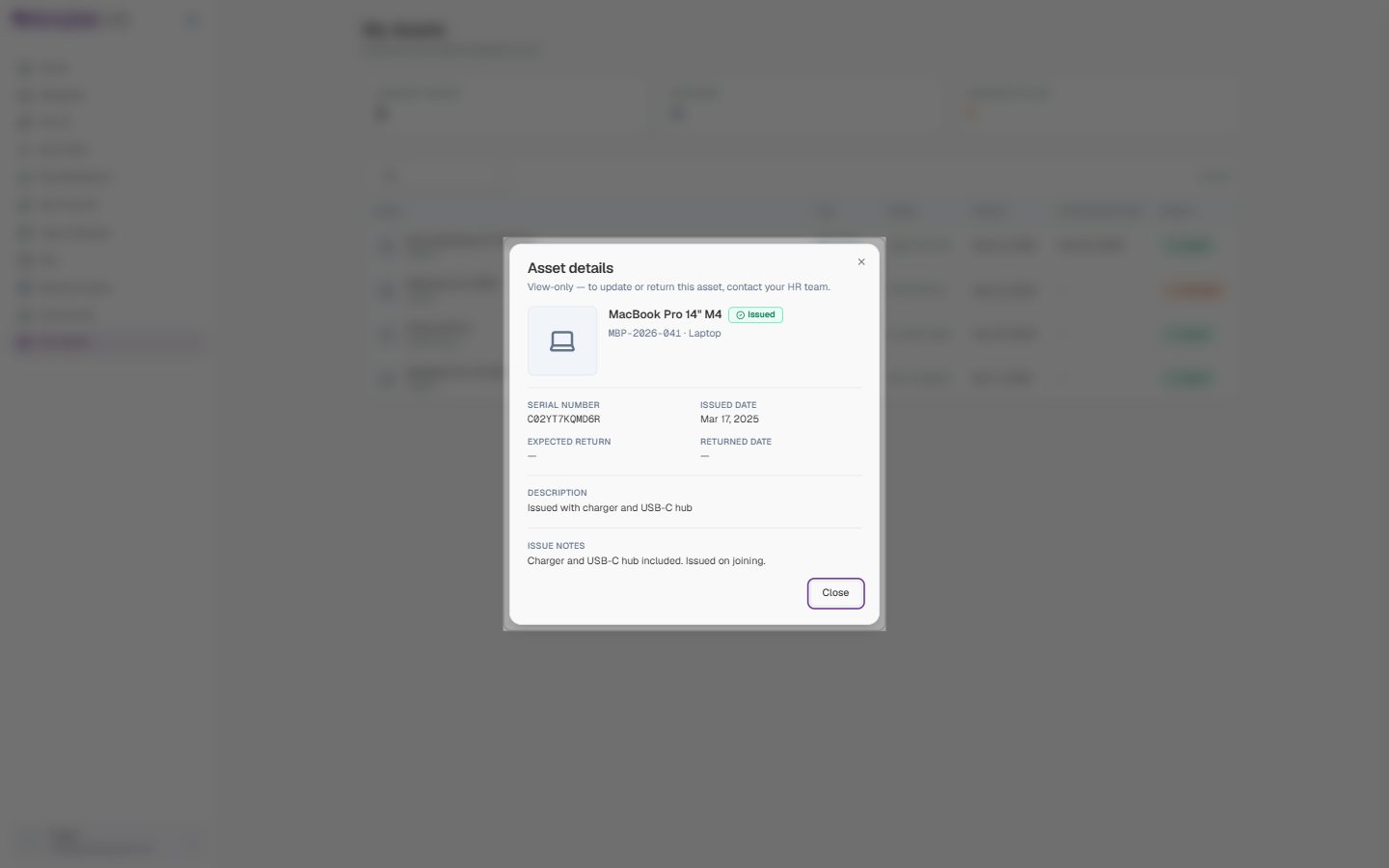
| Field | What it shows |
|---|---|
| Name, status, tag, category | The header of the panel |
| Serial Number | The manufacturer’s serial number |
| Issued Date | When you received it |
| Expected Return | The due-back date, or — if none |
| Returned Date | Filled in once you’ve handed it back |
| Description | What the item is and what came with it (for example “Issued with charger and USB-C hub”) |
| Issue Notes | Anything HR noted at hand-over |
Click Close when you’re done.
This page is read-only — the panel itself says “View-only — to update or return this asset, contact your HR team.” You can’t accept, return, or report an asset here. If something is missing, damaged, or needs returning, tell HR and they’ll update the record.
Before you go on long leave or hand in your notice, check this list against what’s actually on your desk. Anything still marked Issued will be expected back.