Navigating the App
Learn how to find your way around RadixHR. Everything is reached from a sidebar on the left. As of September 2026, the sidebar has two switchable modes, and what you can open inside each section still depends on your permissions.
Main Layout
RadixHR has two main areas:
- Sidebar — the navigation menu on the left, listing every section
- Main Content — the page you’re viewing, in the center
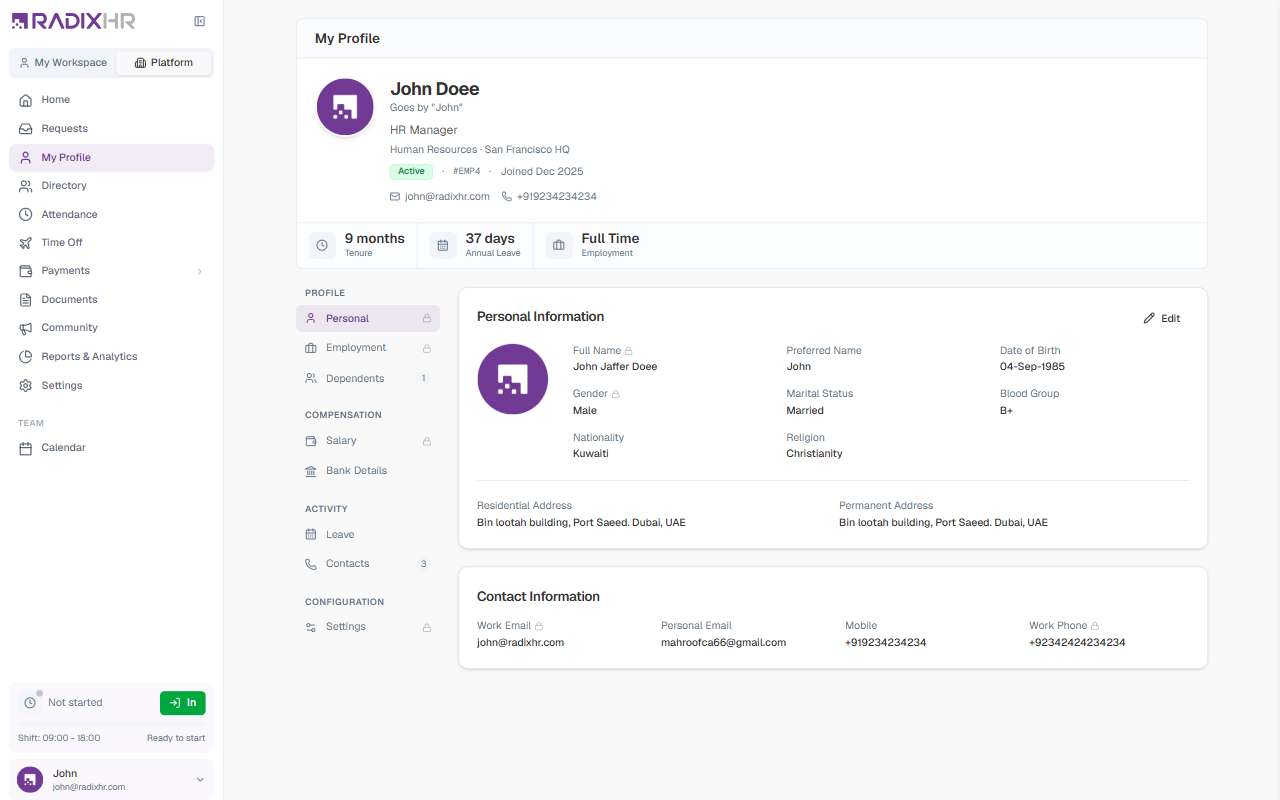
App Mode: My Workspace vs. Platform
At the top of the sidebar, above the navigation list, is an App Mode switcher with two tabs:
| Mode | What it’s for |
|---|---|
| My Workspace | Your personal, self-service view — your own attendance, time off, pay, documents, and assets. This is the same experience covered in the For Employees section of these docs. |
| Platform | The organization-wide view — directory, company-wide attendance and time off, payroll, reports, and settings. This is what the rest of this documentation (outside “For Employees”) describes. |
Switching modes changes the entire sidebar and takes you to that mode’s Home page. Your role and permissions are the same in both modes — the switcher just changes which slice of the app you’re looking at.
My Workspace Sidebar
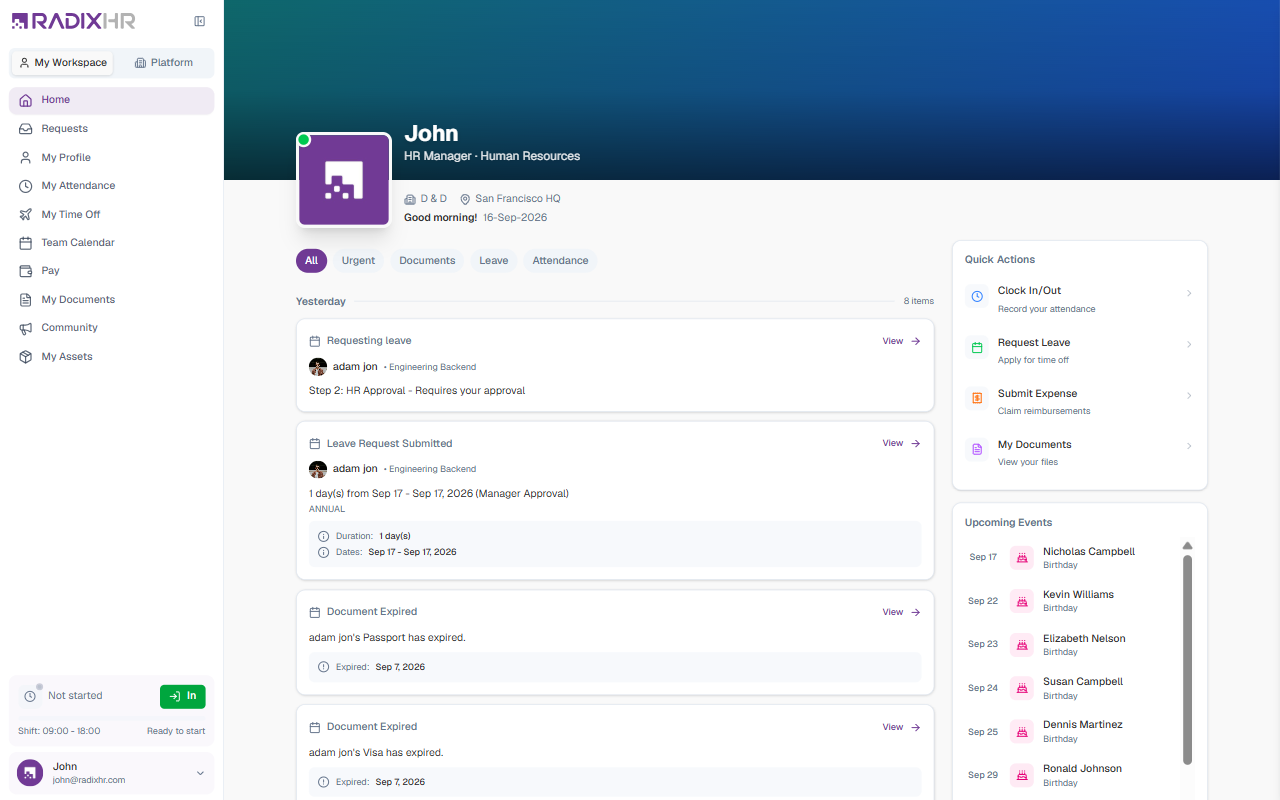
| Section | What it’s for |
|---|---|
| Home | Your personal dashboard |
| Requests | Requests you’ve submitted, and approvals waiting for your action |
| My Profile | Your own personal and employment details |
| My Attendance | Your own clock-in records and attendance requests |
| My Time Off | Your leave balances, requests, and encashment |
| Team Calendar | Your own leave on a month grid, under a Team group — see Calendar |
| Pay | Your own payslips |
| My Documents | Your personal document storage |
| Community | The company noticeboard |
| My Assets | Equipment assigned to you |
Platform Sidebar
| Section | What it’s for |
|---|---|
| Home | The organization-wide dashboard — pending actions, team status, quick actions |
| Requests | Requests you’ve submitted, and approvals waiting for your action |
| My Profile | Your own personal and employment details |
| Directory | The employee directory, org chart, and full employee profiles |
| Attendance | Clock-in records, timesheets, overtime, and attendance requests |
| Time Off | Leave balances, leave requests, encashment, and the leave calendar |
| Payments | Payroll runs, Claims & Deductions, and End of Service (expandable — see below) |
| Documents | Company and personal document storage |
| Community | The company noticeboard — announcements, policies, and events |
| Reports & Analytics | Pre-built reports and interactive analytics dashboards |
| Settings | Workspace configuration and company setup (for admins) |
| Team → Calendar | A shared leave calendar for the whole organisation, grouped separately at the bottom of the sidebar — see Calendar |
Hiring, Assets, and Ask AI are not guaranteed to appear in the Platform sidebar — whether they show up depends on your role’s permissions and on which modules are enabled for your workspace. Their pages (/hiring/request, /assets, /ask) remain reachable by direct link even when hidden from the nav, so don’t assume a feature is gone just because you don’t see it in your own sidebar. The ATS pages (/ats/jobs, /ats/candidates, /ats/interviews) currently show a Coming Soon placeholder on every workspace.
Individual pages and actions are also permission-gated beyond just nav visibility. If you open a section and don’t have access, you’ll see a limited view or an “access denied” message — ask your workspace administrator if you need access.
Expandable Sections
Some sidebar items expand to reveal sub-pages when you click them:
| Section | Sub-pages |
|---|---|
| Payments | Payroll · Claims & Deductions · End of Service |
| Hiring (when visible) | Hiring Request (Jobs · Candidates · Interviews are Coming Soon) |
Collapsing the Sidebar
Click the collapse icon at the top of the sidebar to shrink it to a narrow icon bar. This gives the main content area more room — click it again to expand the sidebar back to full width. You can also make the collapsed state your default under Settings → Personal → Appearance, or toggle it with Cmd+B / Ctrl+B.
The Check-In Widget
Just above your name at the bottom of the sidebar is a small check-in widget showing your shift times and status. Click In to clock in from any page; it switches to a clock-out button once you’re in. See Home.
The Account Menu
Click your name and email at the very bottom of the sidebar to open the account menu:
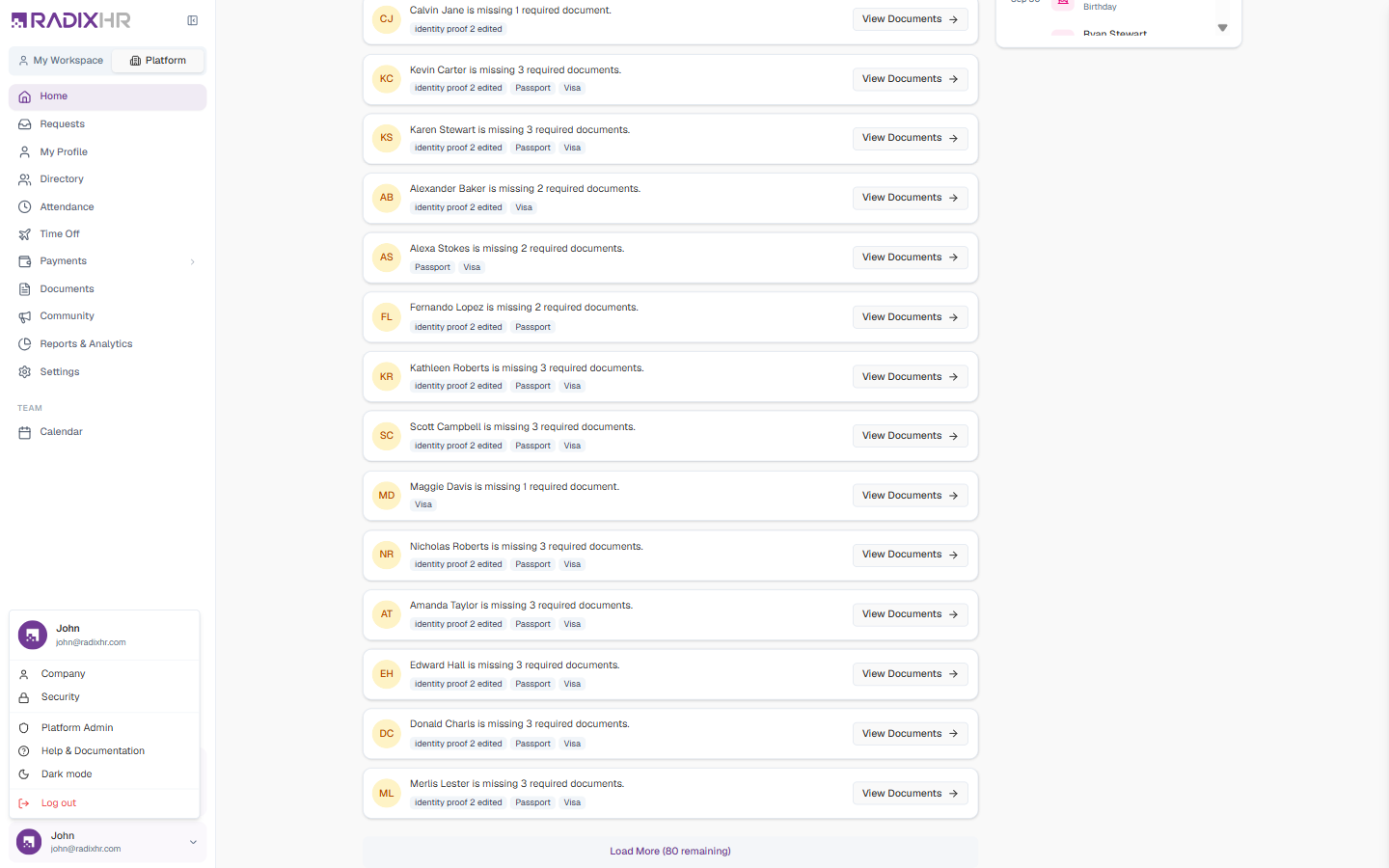
| Item | What it does |
|---|---|
| Company | Opens Settings → General → Company |
| Security | Opens your security settings |
| Platform Admin | Opens the platform administration area — only shown to platform-level administrators |
| Help & Documentation | Opens this documentation site |
| Dark mode | Toggles dark mode for this browser (the same setting as Settings → Personal → Appearance → Theme) |
| Log out | Signs you out on this device |