Your Home
Home is the first screen you see when you sign in. Think of it as your personal notice board: it collects everything that needs your attention, puts your most common tasks one click away, and reminds you what’s coming up for your team. Check it at the start of each day and you’ll rarely miss anything.
What you can do here:
- Read alerts about you — leave approvals, payslips, missing documents, attendance issues
- Filter the alerts to just the Urgent ones, or by Documents, Leave, or Attendance
- Jump straight to the fix with the View button on an alert
- Clock in, request leave, submit an expense, or open your documents from Quick Actions
- See upcoming team birthdays, work anniversaries, and when your next leave starts
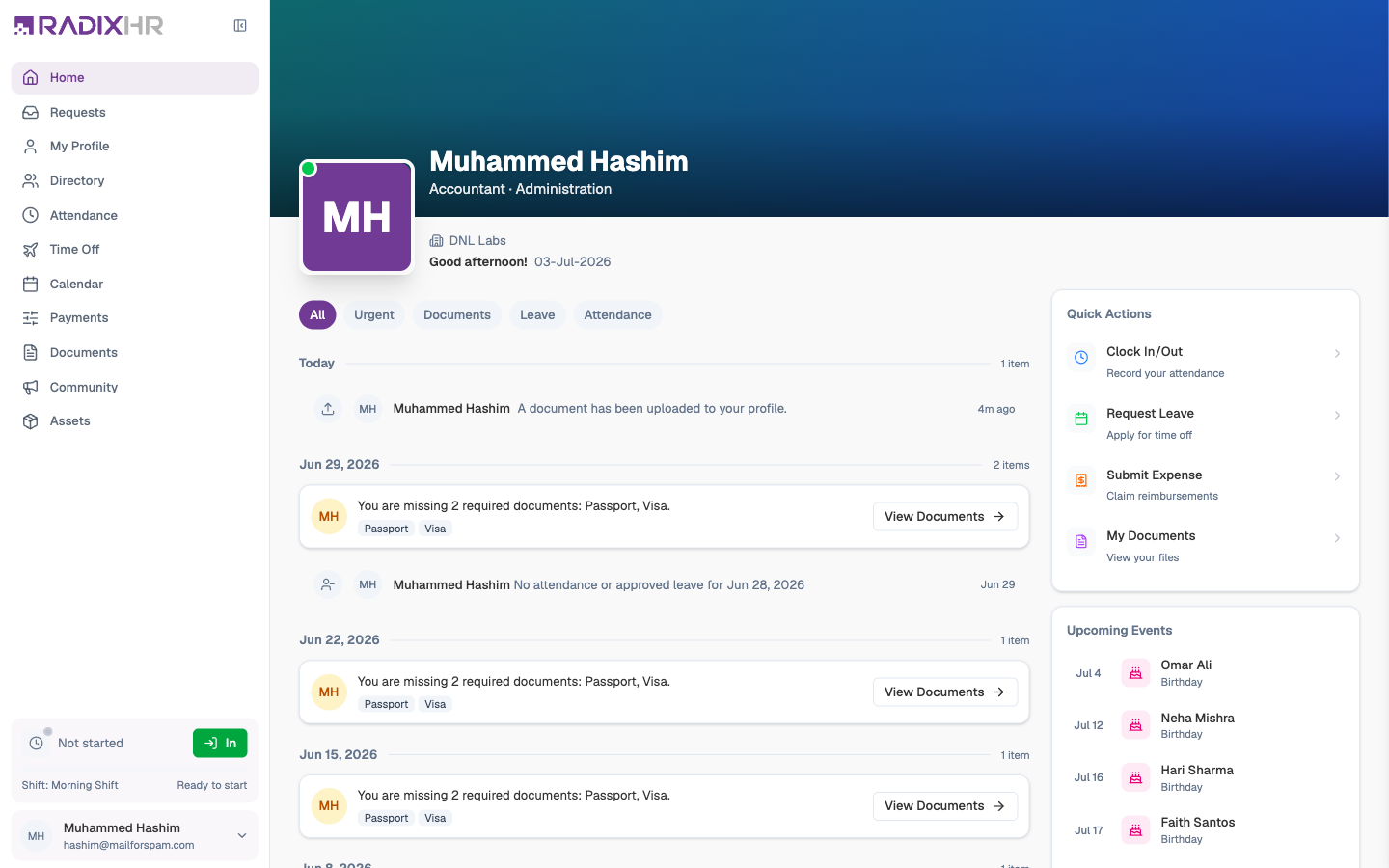
What’s on the Page
| Area | What it shows |
|---|---|
| Header | Your photo (or initial), first name, job title and department, company, work location, a greeting, and today’s date. A green dot on your photo means you’re signed in. |
| Onboarding banner | Appears only while you still have onboarding tasks (for example “2 onboarding items left”). Click Continue to finish them — the banner disappears once they’re done. |
| Alert feed | The main column. Everything that concerns you, newest first, grouped by day (Today, then earlier dates) with an item count per day. |
| Quick Actions | Four shortcuts on the right for the things employees do most. |
| Upcoming Events | Below Quick Actions — the next few weeks of birthdays, work anniversaries, and your own upcoming leave. |
Your Alerts
The feed is a running list of things that happened to you or need something from you. Use the filter chips at the top to narrow it:
| Filter | Shows |
|---|---|
| All | Every alert |
| Urgent | Only the ones that need action now — this chip shows a count when there’s something pressing |
| Documents | Missing, expiring, uploaded, and requested documents |
| Leave | Leave requests you’ve made and how they’re progressing |
| Attendance | Missing punches, late marks, and other attendance issues |
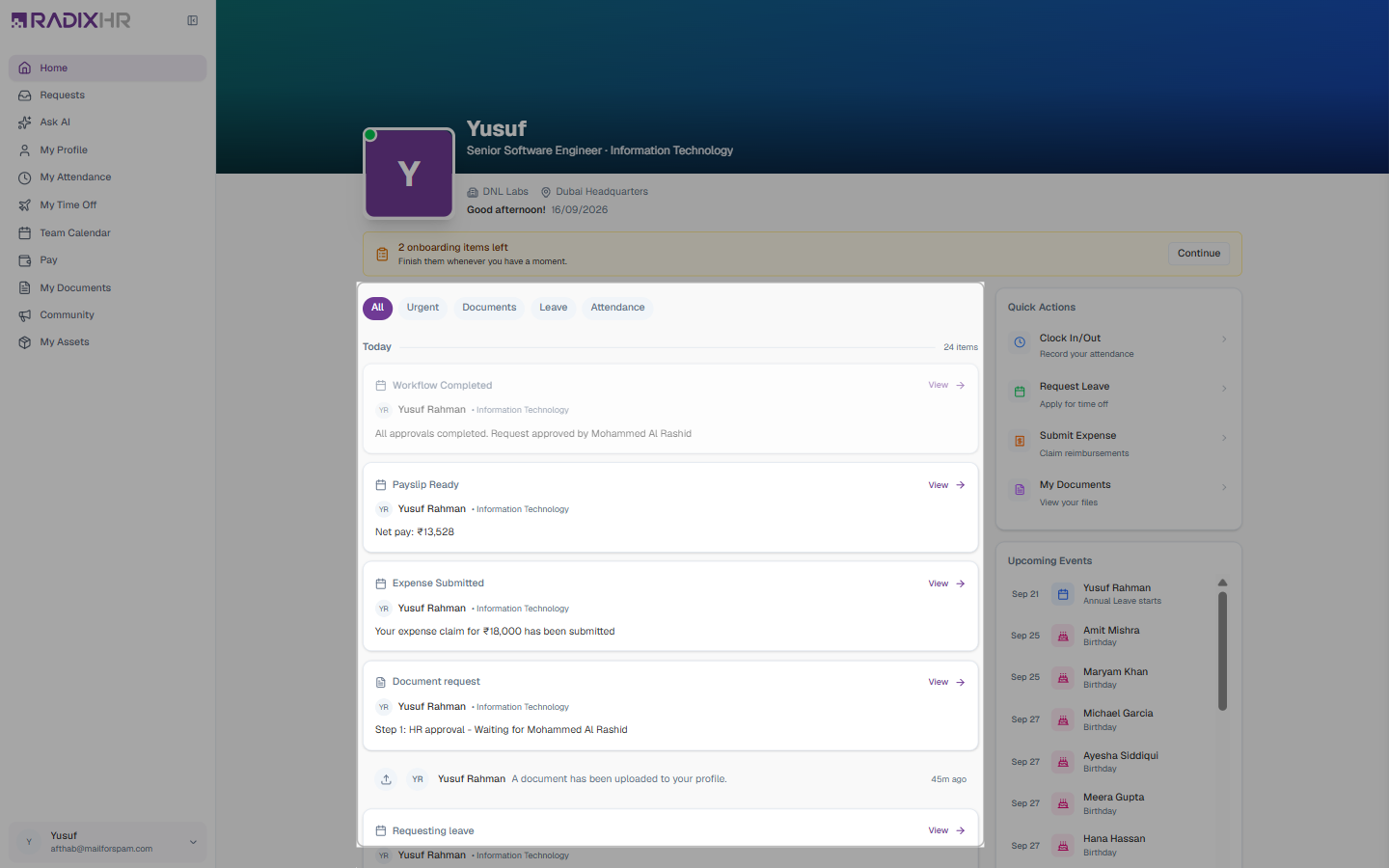
Each alert card shows a title, who it’s about, and a one-line summary. Most also have a View → button that opens the related page. Here are the alerts you’ll see most often:
| Alert | What it means | What to do |
|---|---|---|
| Requesting leave | A leave request you submitted is waiting for approval — the card names the step and the approver (“Step 1: HR Manager approval – Waiting for Sana Raza”) | Nothing yet. Open it if you want to send a reminder. |
| Leave Request Approved / Workflow Completed | Your leave has been approved, and by whom | Enjoy your time off — it now shows on your Calendar |
| Payslip Ready | A payroll run has been paid and your payslip is available, with the net pay | Click View to open it in Pay |
| Expense Submitted | Your expense claim has gone in for approval | Track it under Requests |
| Document request | Your request for a letter or certificate is with HR (“Step 1: HR approval – Waiting for …”) | Wait for HR; the finished file appears in My Documents |
| A document has been uploaded to your profile | A file you (or HR) uploaded was saved | No action needed |
| You are missing N required documents | Your company expects documents you haven’t uploaded yet — the alert lists them (for example Passport, Visa, Health Insurance Card) | Click View Documents and upload them |
| Document expiring | A document is close to its expiry date | Upload the renewed copy |
| Missing punch / Attendance issue | A clock-in or clock-out is missing, or you were late, left early, or were marked absent | Click Submit Correction / Review to raise an attendance request |
| Salary Revised / Location Transfer | HR changed your salary or work location, with the effective date | For your information |
When there’s nothing to do, the feed simply says All caught up!
Quick Actions
Quick Actions are shortcuts to the four things employees do most. Each one opens the right page with the right form ready.
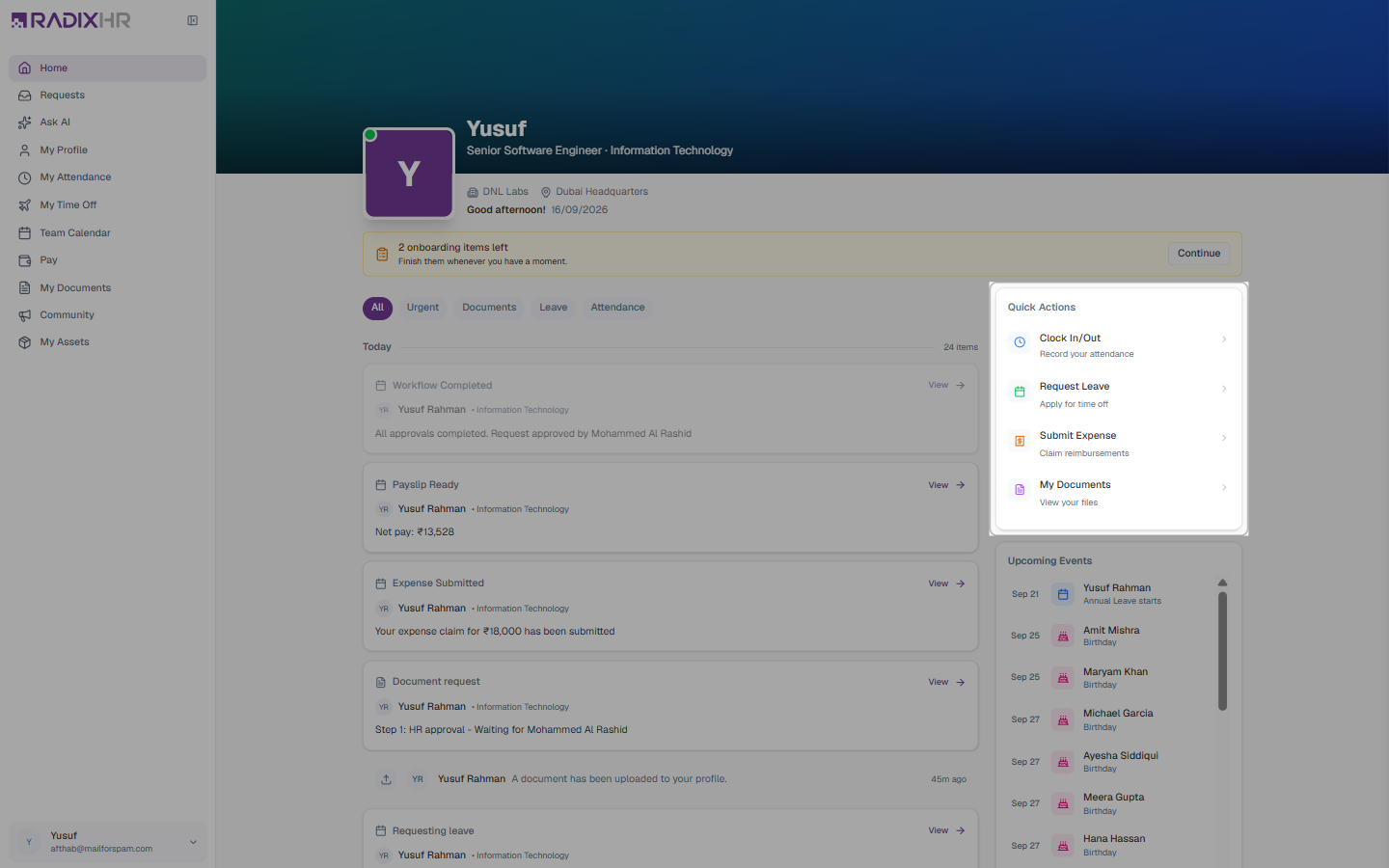
| Action | What it does | Takes you to |
|---|---|---|
| Clock In/Out | Record your attendance for the day | My Attendance |
| Request Leave | Apply for time off | My Time Off |
| Submit Expense | Claim back money you spent for work | Pay → Requests |
| My Documents | View and upload your files | My Documents |
You’ll only see an action if your company uses that module. If Submit Expense is missing, for example, expenses aren’t enabled for you. And if your company records attendance through a biometric device rather than the web, Clock In/Out opens your attendance page rather than clocking you in.
Upcoming Events
The Upcoming Events panel lists, in date order:
- Birthdays and work anniversaries of colleagues — a friendly nudge to wish them well
- Your own leave (for example “Annual Leave starts – Sep 21”) so it doesn’t sneak up on you
Scroll inside the panel to see further ahead.
A good daily routine: open Home, clear anything under the Urgent filter, glance at Upcoming Events, then use Clock In/Out to start your shift.