Appearance
Choose how RadixHR looks on the browser and device you’re using right now. This is a new page (added September 2026) — most of it only affects your own screen, and none of it changes what other employees see.
What you can do here:
- Switch between Light, Dark, or System theme
- Pick an accent color
- Choose Comfortable or Compact spacing for tables and lists
- Collapse the sidebar to icons-only by default
- Set your own personal cover banner for the Home page
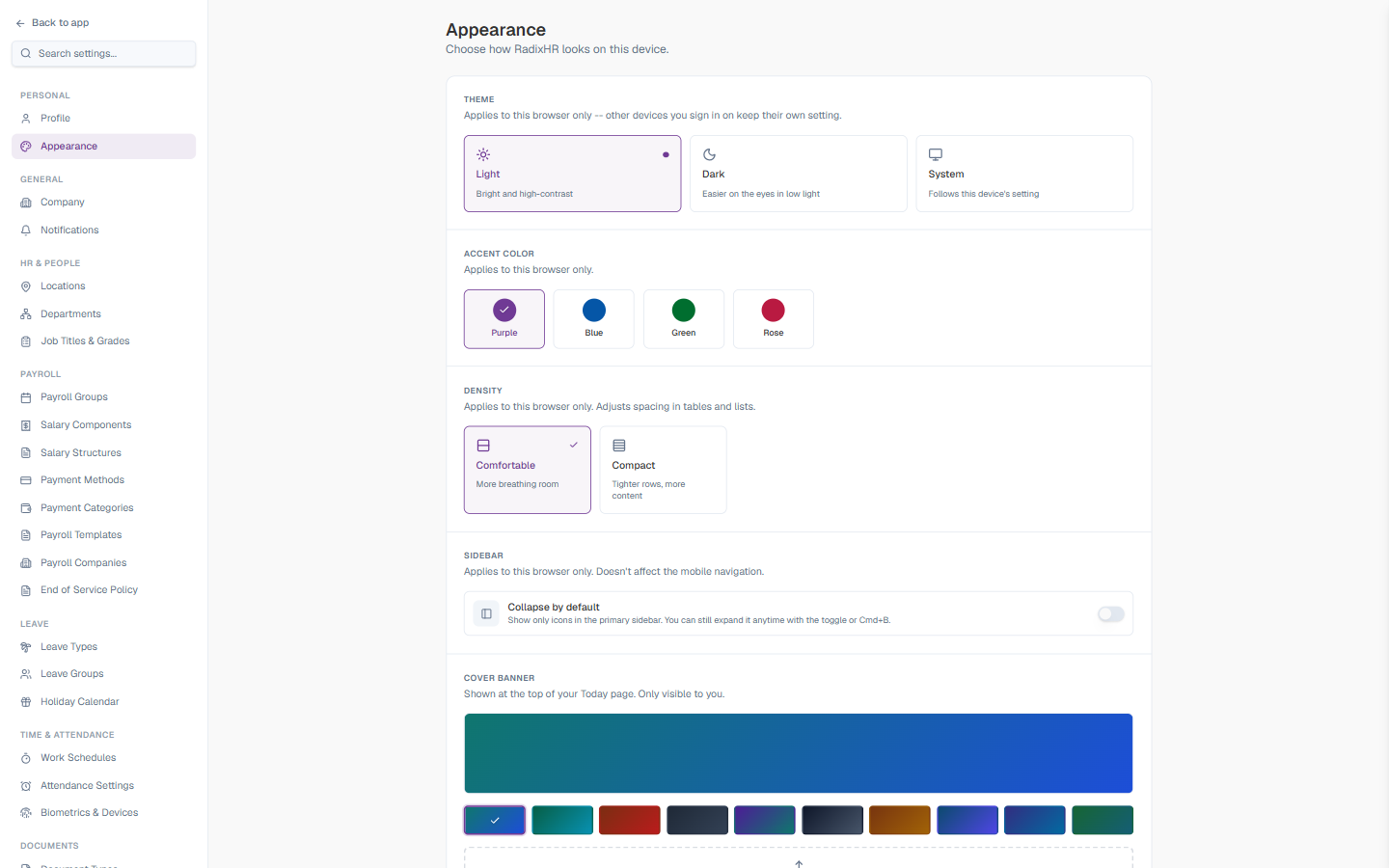
The Cover banner used to live on Settings → General → Company, where it applied to everyone in the workspace. It has moved here and is now a personal preference — each employee can pick their own banner, and it’s only visible to them on their own Home page.
Theme
| Option | Description |
|---|---|
| Light | Bright and high-contrast |
| Dark | Easier on the eyes in low light |
| System | Follows this device’s operating-system setting |
Applies to this browser only — if you sign in on another device, that device keeps its own setting.
Accent Color
Pick the highlight color used for buttons, links, and selected states: Purple, Blue, Green, or Rose. Applies to this browser only.
Density
| Option | Description |
|---|---|
| Comfortable | More breathing room between rows — the default |
| Compact | Tighter rows so more content fits on screen |
Adjusts spacing in tables and lists. Applies to this browser only.
Sidebar
| Setting | Description |
|---|---|
| Collapse by default | When ON, the primary sidebar shows only icons instead of icons + labels. You can still expand it anytime with the sidebar toggle or the Cmd+B / Ctrl+B keyboard shortcut. |
Applies to this browser only — doesn’t affect the mobile navigation.
Cover Banner
The cover banner is the image shown at the top of your own Home (Today) page. Only you see it.
Preset Banners
Ten built-in gradient options: Teal Blue, Emerald Cyan, Burnt Red, Slate, Indigo Teal, Midnight, Amber Earth, Ocean Indigo, Deep Blue, Forest Cyan. Click any preset to apply it immediately.
Upload Your Own
| Setting | Description |
|---|---|
| Drag & drop or browse | Drop an image onto the upload area, or click to pick a file |
| Supported formats | PNG, JPG, or WebP |
| Maximum file size | 2 MB |
Use landscape photos for best results — office interiors, architecture, or cityscapes work well. The image displays full-width across the top of your Home page.