Community
Community is your company’s shared notice board — announcements, policies, training sessions, events, and celebrations, all in one feed. HR publishes the posts; you read them here so nothing important gets lost in email.
What you can do here:
- Read company notices, policy updates, and announcements
- Keep up with training sessions, events, and celebrations
- Filter the feed by category, search it, or show only what you haven’t read
- Open a post to read it in full and download any attached files
- See upcoming team events at a glance
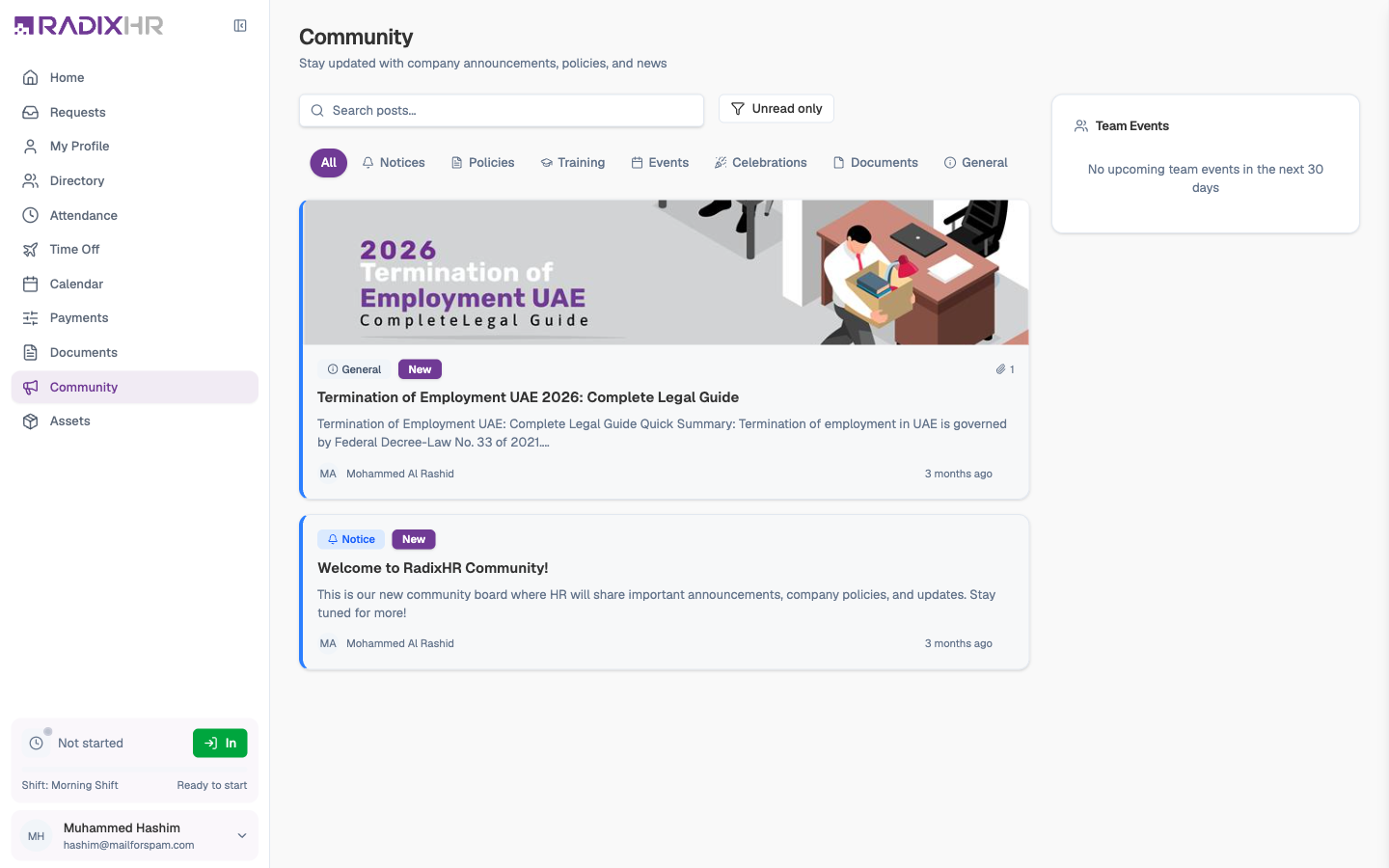
Browsing the Feed
The feed lists posts newest first, with pinned posts at the top. Use the controls above it to find what you need:
| Control | What it does |
|---|---|
| Search posts… | Searches titles and text across every post |
| Unread only | Hides posts you’ve already opened |
| Category tabs | All, Notices, Policies, Training, Events, Celebrations, Documents, General — click one to show only that category |
Each post card shows:
| Element | Meaning |
|---|---|
| Category badge | Notice, Policy, Training, and so on |
| New | You haven’t opened this post yet — the card also has a coloured left border |
| Banner image | Some posts carry a picture across the top |
| Title and excerpt | The first couple of lines of the post |
| Author and time | Who published it and when |
| Paper-clip count | How many files are attached |
Opening a post marks it as read automatically — there’s no button to press.
Reading a Post
Click any card to open the post in a side panel with the category, full title, author, publish date, the complete text, and any Attachments with a download icon beside each file.
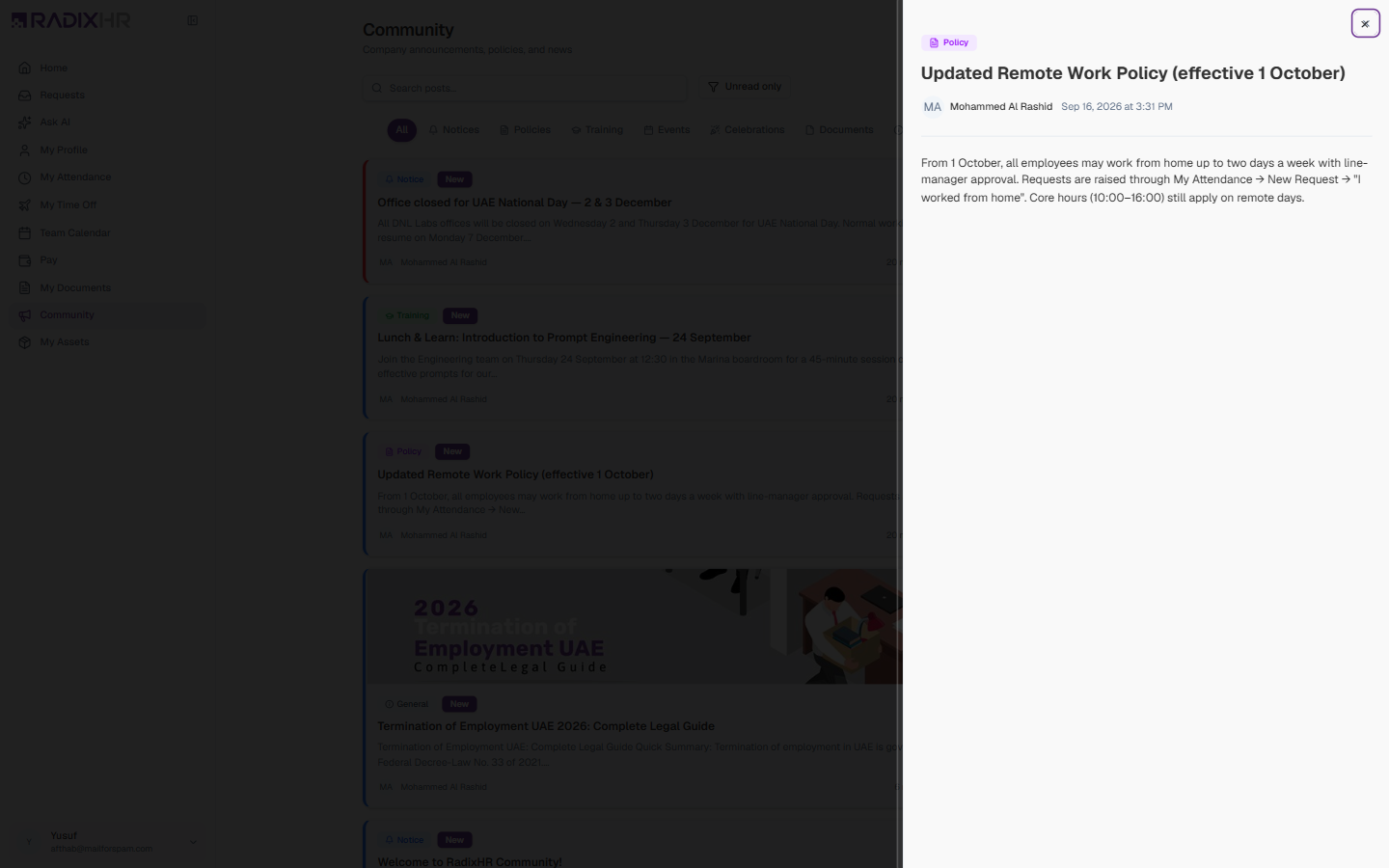
Posts marked High Priority or Pinned by HR carry a badge so you can spot the ones that matter most.
Team Events
The Team Events panel on the right lists team events in the next 30 days. Birthdays and work anniversaries also appear on your Home page under Upcoming Events.
Community is read-only for employees. You can read, search, filter, and download attachments, but you can’t write a post, comment, or react. Posts are published by HR — if you have something to share with the company, send it to your HR team.
Check Unread only once a week — policies and company-wide announcements are posted here, and a Policy post may change how you request leave or work from home.