My Requests
Requests is your single tracking list. Every request you submit anywhere in RadixHR — leave, attendance corrections, expense claims, salary advances, document requests — lands here, so you always know where each one stands and who it’s waiting on.
What you can do here:
- See every request you’ve submitted, newest first
- Filter by status — All, Pending, Approved, Rejected, or Cancelled — or search by name
- Open a request to see exactly what you submitted and where it is in the approval chain
- Nudge an approver who hasn’t responded
- Cancel a request that hasn’t been approved yet
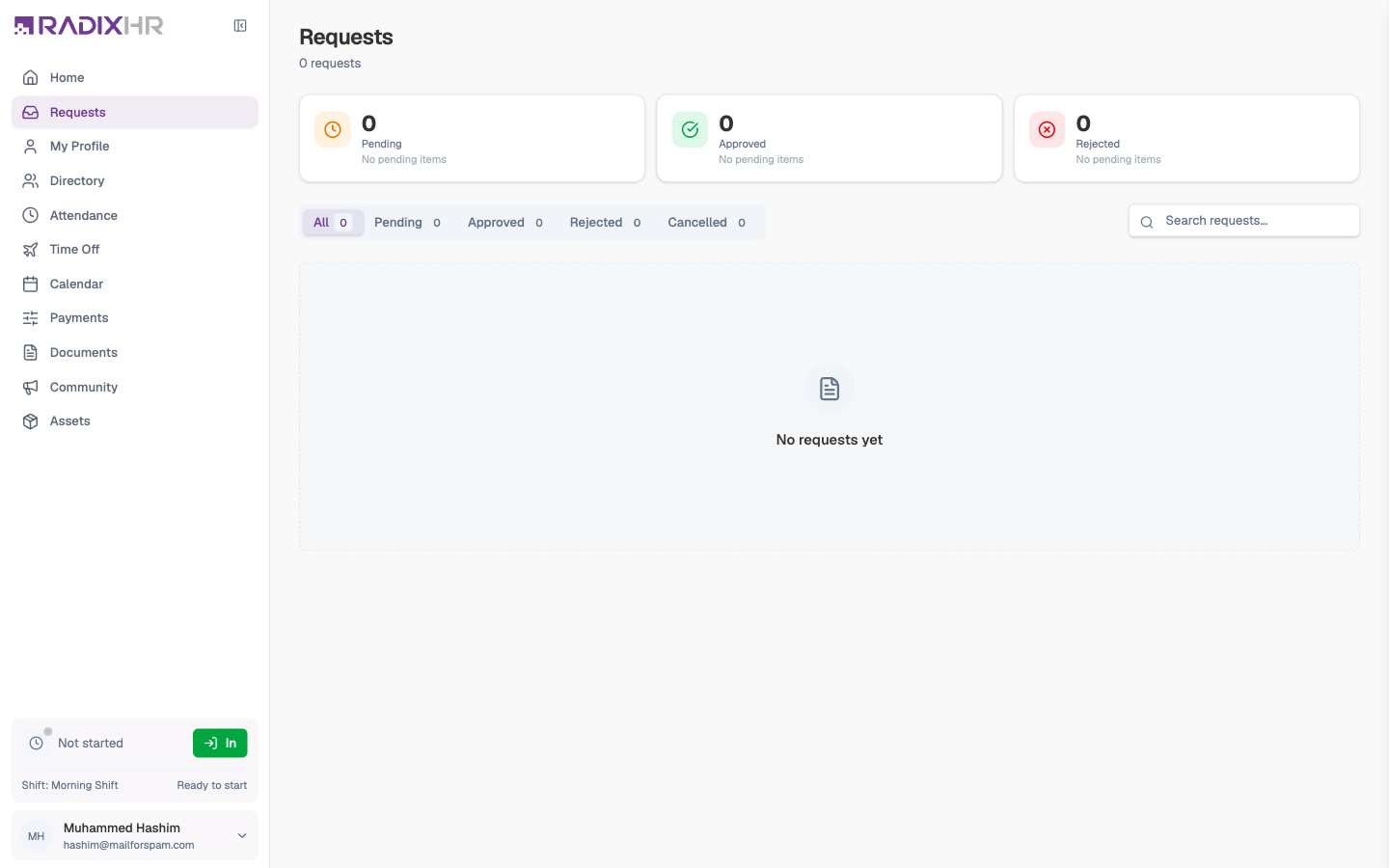
This page tracks requests — you don’t create them here. Each kind starts in its own place: leave from Time Off, attendance corrections from My Attendance, expenses and advances from Pay, and letters from My Documents.
What’s on the Page
| Area | What it shows |
|---|---|
| Summary cards | How many of your requests are Pending, Approved, and Rejected |
| Status tabs | All / Pending / Approved / Rejected / Cancelled, each with a count |
| Search | Type part of a request’s name to find it |
| Request cards | One card per request: the type (Leave Request, Document Request, Expense Claim, …), a status badge, how long ago it was submitted, a one-line summary (for example Sick Leave – 2 days (Thu, Sep 10 – Fri, Sep 11)), and — for pending ones — the step it’s waiting at (Waiting at: HR Manager approval) |
Opening a Request
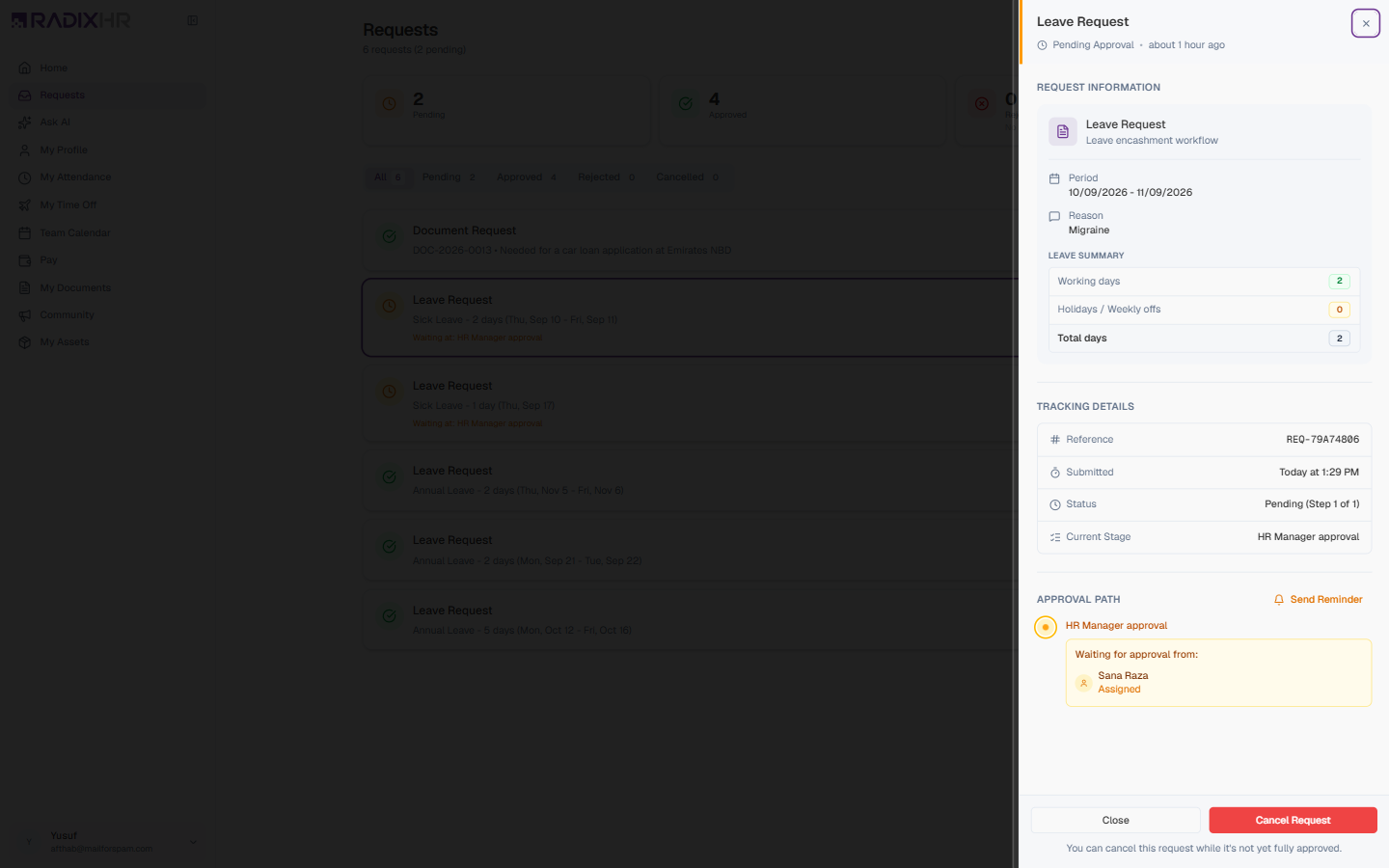
Click any card to slide open its detail panel on the right.
| Section | What it tells you |
|---|---|
| Request Information | What you submitted — for leave, the period and reason plus a Leave Summary (working days, holidays/weekly offs, total days); for expenses, the amount and items; for documents, the type and remarks |
| Tracking Details | The Reference number (for example REQ-79A74806), when it was Submitted, its Status including the step it’s on (Pending (Step 1 of 1)), and the Current Stage name |
| Approval Path | Every approval step in order. Completed steps show who approved or rejected, when, and any comment. The current step says Waiting for approval from: and names the person. Later steps show as upcoming. |
The Approval Path is the useful part when something seems stuck: it tells you exactly whose desk your request is on.
Nudging an Approver
If a request has been sitting too long, open it and click Send Reminder (top-right of the Approval Path). This sends a notification to the person whose turn it is. Use it sparingly — once is usually enough.
Answering an Approver’s Question
An approver can ask you for more information rather than approving or rejecting straight away. When they do, their question appears in the Approval Path as “[Name] asked:”.
- Click Reply under the question.
- Type your answer.
- Click Send Response.
Your answer appears under Your response: and the approver is notified.
Replying to a question is the only way to add text to a request after submitting it. There’s no general comment box, and you can’t attach more files after the fact — those had to be added when you first submitted.
Cancelling a Request
- Open the request.
- Click Cancel Request at the bottom of the panel (the note underneath reads “You can cancel this request while it’s not yet fully approved”).
- Confirm with Cancel Request, or click Keep Request to back out.
You can only cancel while a request is Pending and nobody has approved it yet. Once it clears the first approval step — or is approved, rejected, or already cancelled — the button disappears. Ask your manager or HR for help at that point.
Statuses
| Status | Meaning |
|---|---|
| Pending | Waiting for the current approver |
| Approved | Every step has been completed |
| Rejected | An approver turned it down — open it to read their reason |
| Cancelled | You withdrew it, or an approver cancelled it |