Getting Started
Welcome to RadixHR! This guide will help you get up and running quickly.
What you’ll learn:
- How to log in to your account
- How to set up your company workspace
- How to navigate the app
- How to complete your employee profile
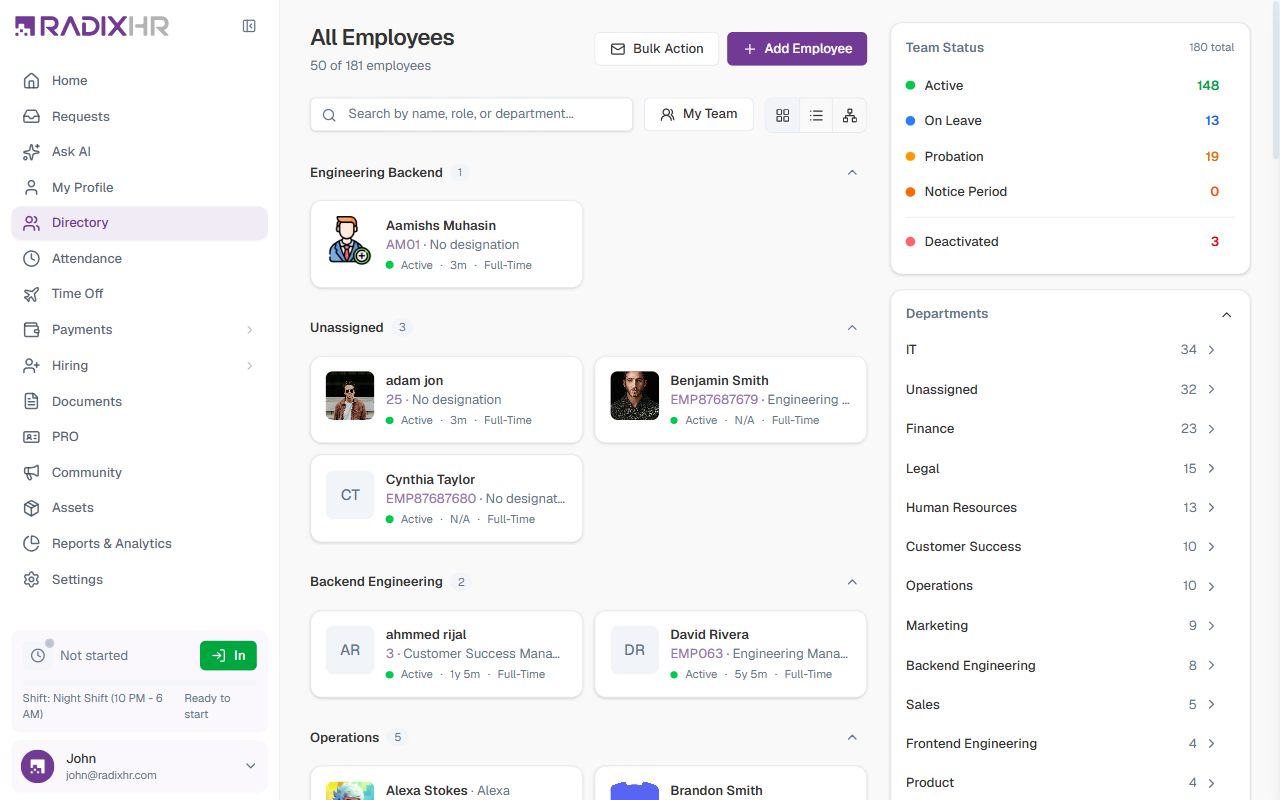
First Steps
- Log in to your account — Use the credentials provided by your administrator
- Set up your workspace — Configure your company settings (admins only)
- Learn the navigation — Understand how the sidebar and sections are organized
- Complete your profile — Add your personal information
Guides in This Section
Your First Steps as HR Admin — In This Order
If you’re setting up a new workspace, do these in order — each one builds on the last:
- Log in — see Logging In
- Open Settings — sidebar → Settings
- Company profile — logo, currency, date format, timezone → Company
- Departments → Departments
- Job titles & grades → Job Titles & Grades
- Locations → Locations
- Add your employees → Directory → + Add Employee, then send welcome emails or provision portal access in bulk
- Leave → Leave Types, Leave Groups, Holiday Calendar
- Attendance → Work Schedules, Attendance Policies
- Payroll → Payroll Companies, Payroll Groups, Salary Components, Salary Structures, then assign salaries in Salary Management
- Users & roles → invite HR/manager users and assign roles in Users and Roles & Permissions
If you’re an employee rather than HR, start from For Employees instead.
What’s Next?
Once you’re comfortable with the basics, explore the modules that apply to your role:
- HR Managers — Start with the Directory to manage employees
- Team Leads — Check Time Off and Attendance
- Payroll Admins — Head to Payroll to manage salaries
- All Employees — Visit My Profile for your personal profile and settings
Last updated on