Company
The Company page is where you set up your workspace identity, branding, contact details, localization, and official registration information. Everything that makes up your company’s profile in RadixHR lives here — logo, name, industry, trade license details, and how dates, numbers, and currency are displayed for everyone in the workspace.
What you can do here:
- Upload your company logo
- Set your workspace name, URL, industry, and size
- Configure workspace-wide localization — language, region, timezone, date/time formats, currency and number formatting
- Enter primary contact details (email, phone, website, support email)
- Record the legal company details (English & Arabic names, entity type, trade license, emirate, registered address)
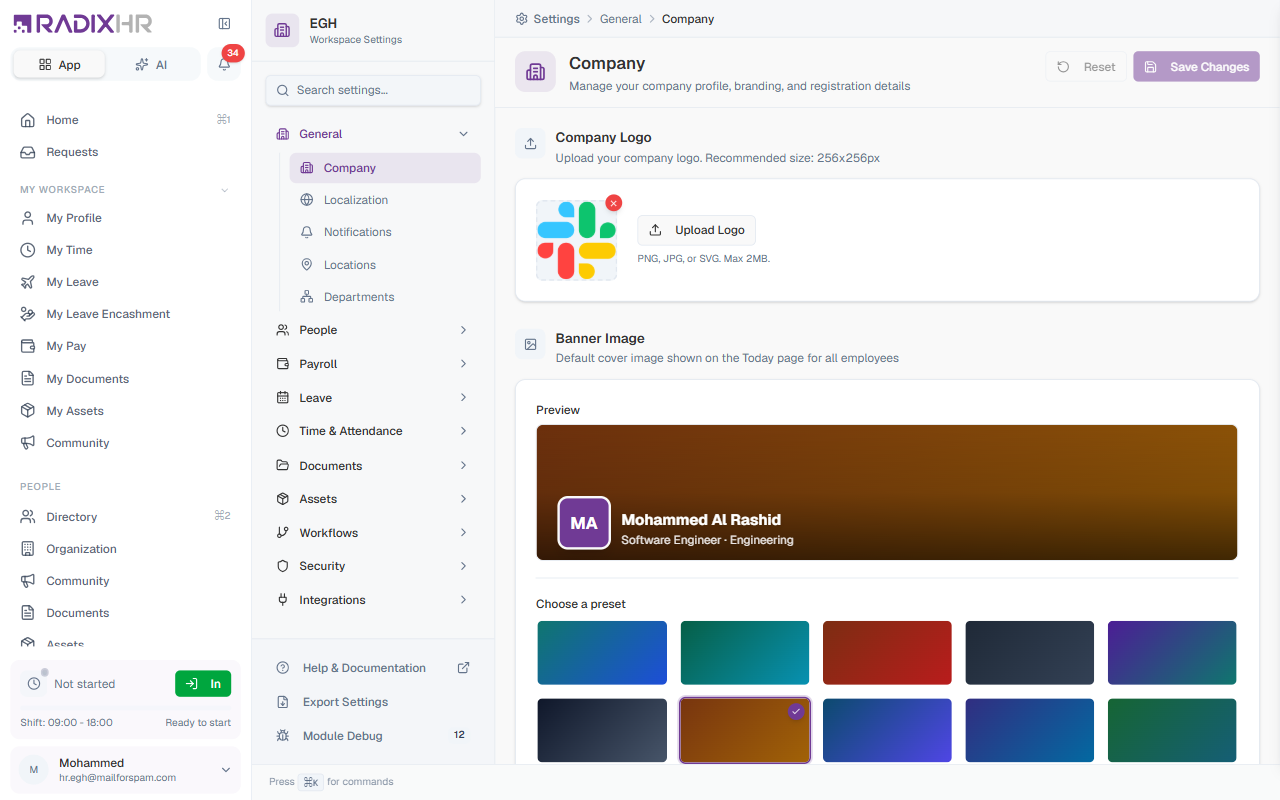
This page has absorbed a couple of settings that used to live elsewhere: Localization (previously its own page) is now a section further down this page, and the Banner Image picker has moved to your personal Appearance settings (it’s now a per-person preference, not a workspace-wide one).
Page Header
| Element | Description |
|---|---|
| Breadcrumb | Settings > General > Company — click any segment to navigate back |
| Title | ”Company” with the subtitle “Manage your company profile, branding, and registration details” |
| Reset | Discards unsaved changes and reverts the form to the last saved state |
| Save Changes | Saves all edits across every section in one go. Disabled when nothing has changed. |
The Save and Reset buttons act on the whole page — you only need to click Save once, even if you’ve edited fields across several sections.
Company Logo
Upload your company logo. It appears in the sidebar, on email templates, and on official documents.
| Setting | Description |
|---|---|
| Upload Logo | Click to pick an image from your computer. The preview updates immediately. |
| Supported formats | PNG, JPG, or SVG |
| Maximum file size | 2 MB |
| Recommended size | 256 × 256 pixels |
To remove the existing logo, click the X that appears on the logo preview.
Basic Information
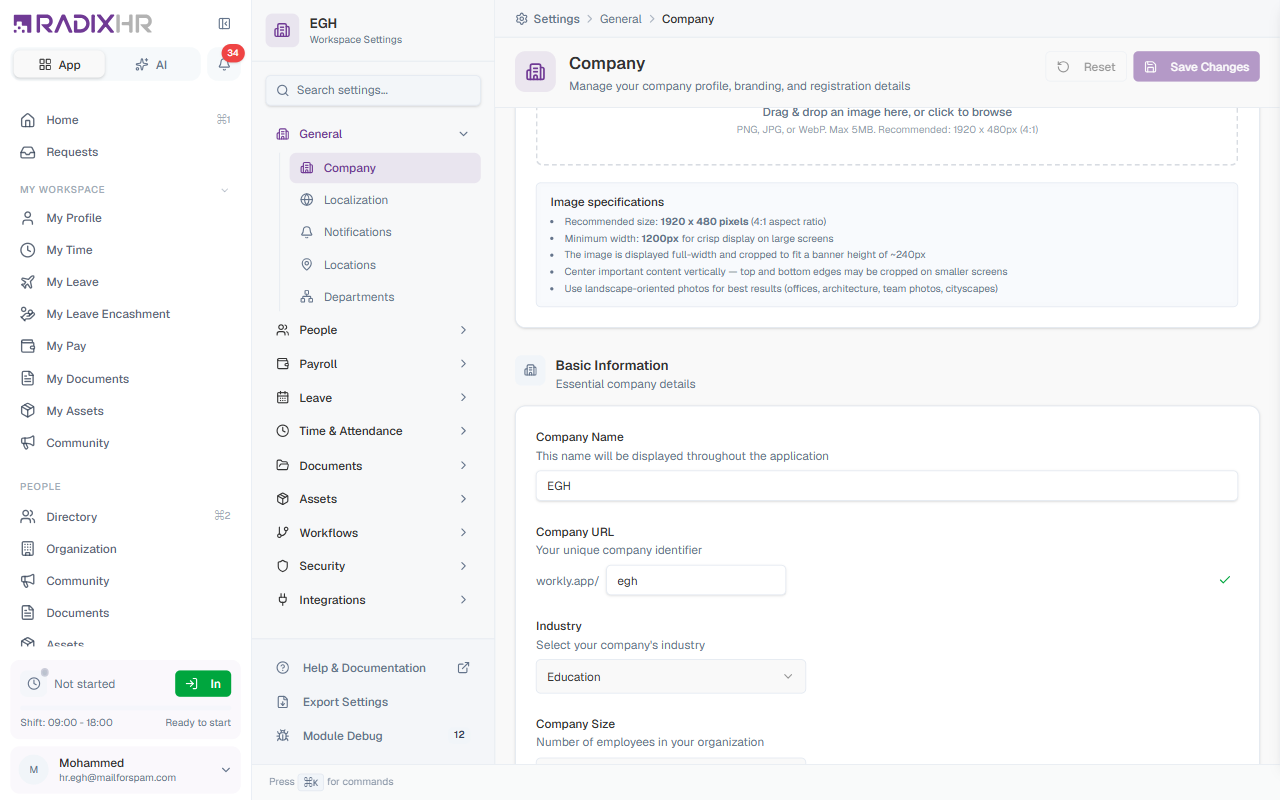
Essential details about your workspace, used throughout the application.
| Field | Description | Required |
|---|---|---|
| Company Name | The display name shown throughout the application (e.g., “EGH”, “Emirates Group Holdings”). | Yes |
| Company URL | A unique URL-friendly identifier for your workspace (e.g., radixhr.app/egh). Only lowercase letters, numbers, and hyphens. The system checks availability in real time and shows a green tick when valid. | Yes |
| Industry | Your company’s sector. Options include Technology, Healthcare, Finance, Retail, Manufacturing, Education, Hospitality, Construction, Logistics, Professional Services, Media, Nonprofit, Government, Other. | No |
| Company Size | Approximate employee count — 1–10, 11–50, 51–200, 201–500, 501–1000, or 1000+. | No |
| Description | A short description of your company (max 1000 chars). | No |
Changing the Company URL updates the URL for everyone in your organization. Let your team know in advance — old bookmarks won’t auto-redirect.
Localization
Localization settings control how dates, times, numbers, and currency are displayed throughout your workspace. These settings ensure that all employees see information in a format familiar to their region, making the application easier to use for international teams. Unlike Basic Information, these fields are grouped into three sub-sections on the page rather than separate tabs: Language & Region, Date & Time, and Currency & Numbers.
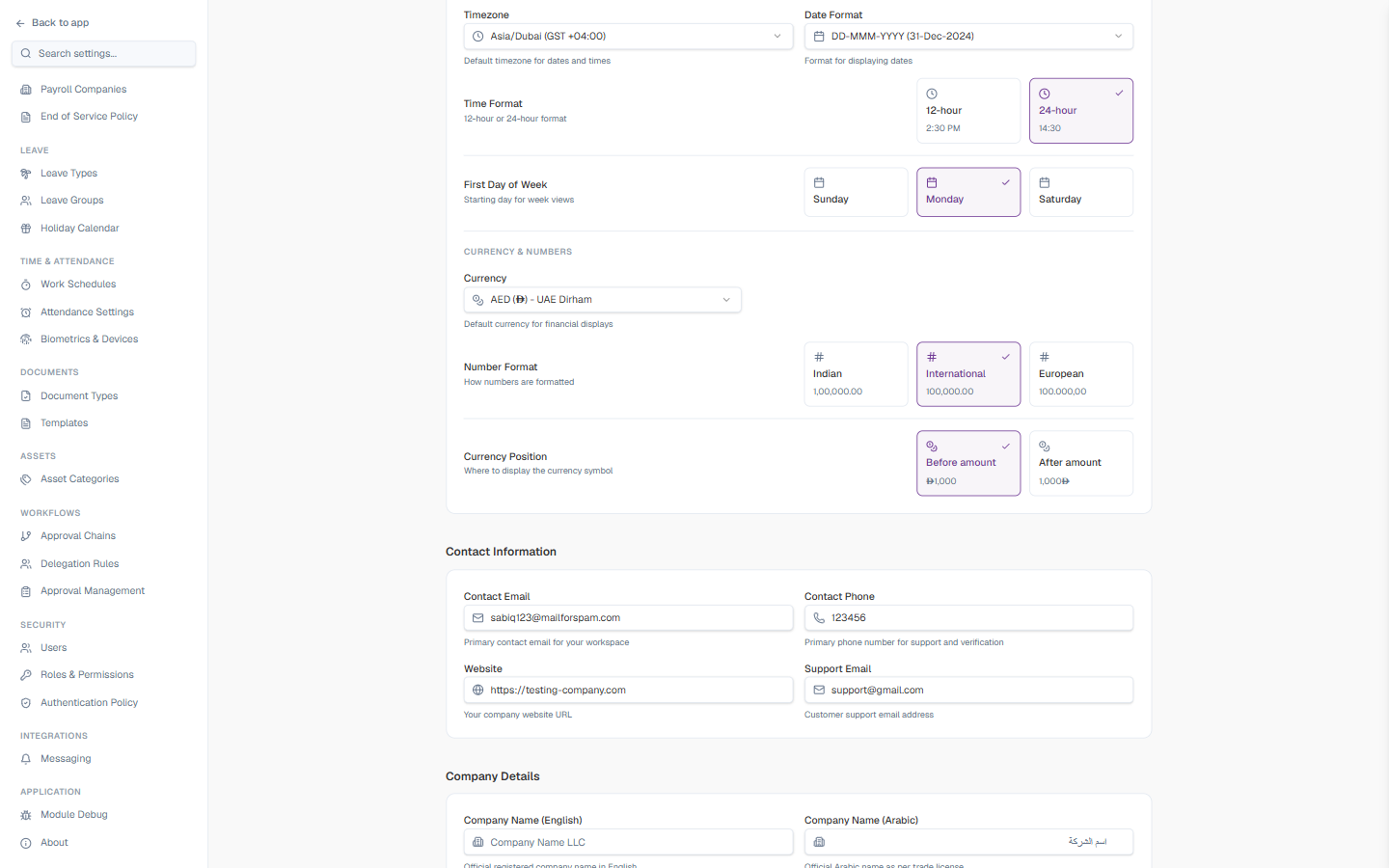
Localization changes here apply to the entire workspace and affect how all employees see dates, times, and numbers in the application. This is different from your personal Language and Timezone choices under Profile, which only change what you see.
Language & Region
| Field | Description | Required |
|---|---|---|
| Default Language | The primary language used throughout the workspace interface. This determines the language of menus, labels, buttons, and system messages. Available options: English, Arabic (with right-to-left support), and Hindi. | Yes |
| Country / Region | Your organization’s primary operating country. This affects default formatting conventions and may be used for compliance purposes. | Yes |
When you select Arabic, the entire interface automatically switches to right-to-left (RTL) layout for proper reading direction.
Date & Time
| Field | Description | Required |
|---|---|---|
| Timezone | The default timezone for your workspace. All dates and times in the system (like attendance records, leave requests, and scheduled events) are calculated based on this timezone. This is critical for accurate time tracking. | Yes |
| Date Format | How dates are displayed throughout the application (e.g., DD-MMM-YYYY → 31-Dec-2024). Choose a format familiar to your region. | Yes |
| Time Format | 12-hour (2:30 PM) or 24-hour (14:30). | Yes |
| First Day of Week | Which day appears first in calendars and weekly views — Sunday, Monday, or Saturday. This varies by region and affects calendars in leave management, scheduling, and other date pickers throughout the application. | Yes |
The timezone setting is critical for attendance tracking. If set incorrectly, employee clock-in/clock-out times will be recorded in the wrong timezone, leading to inaccurate attendance records. Double-check this setting before going live.
Currency & Numbers
| Field | Description | Required |
|---|---|---|
| Currency | The default currency used for financial displays, including salary information, expense reports, and payroll summaries. | Yes |
| Number Format | How large numbers are formatted with separators: Indian (1,00,000.00 — uses lakh/crore grouping), International (100,000.00 — US/UK style), or European (100.000,00 — comma for decimals). | Yes |
| Currency Position | Whether the currency symbol appears before (₹1,000) or after (1,000₹) the amount. | Yes |
Indian Number Format Explained: In India, numbers are grouped differently after the thousands place. Instead of millions and billions, India uses lakhs (1,00,000 = 100,000) and crores (1,00,00,000 = 10,000,000). This format is standard for Indian businesses.
Set timezone first. Before adding employees or recording attendance, make sure the timezone is correctly configured — changing it later can cause confusion with historical records. If you change localization settings after the system is in use, let employees know so they understand why dates or numbers may look different.
Contact Information
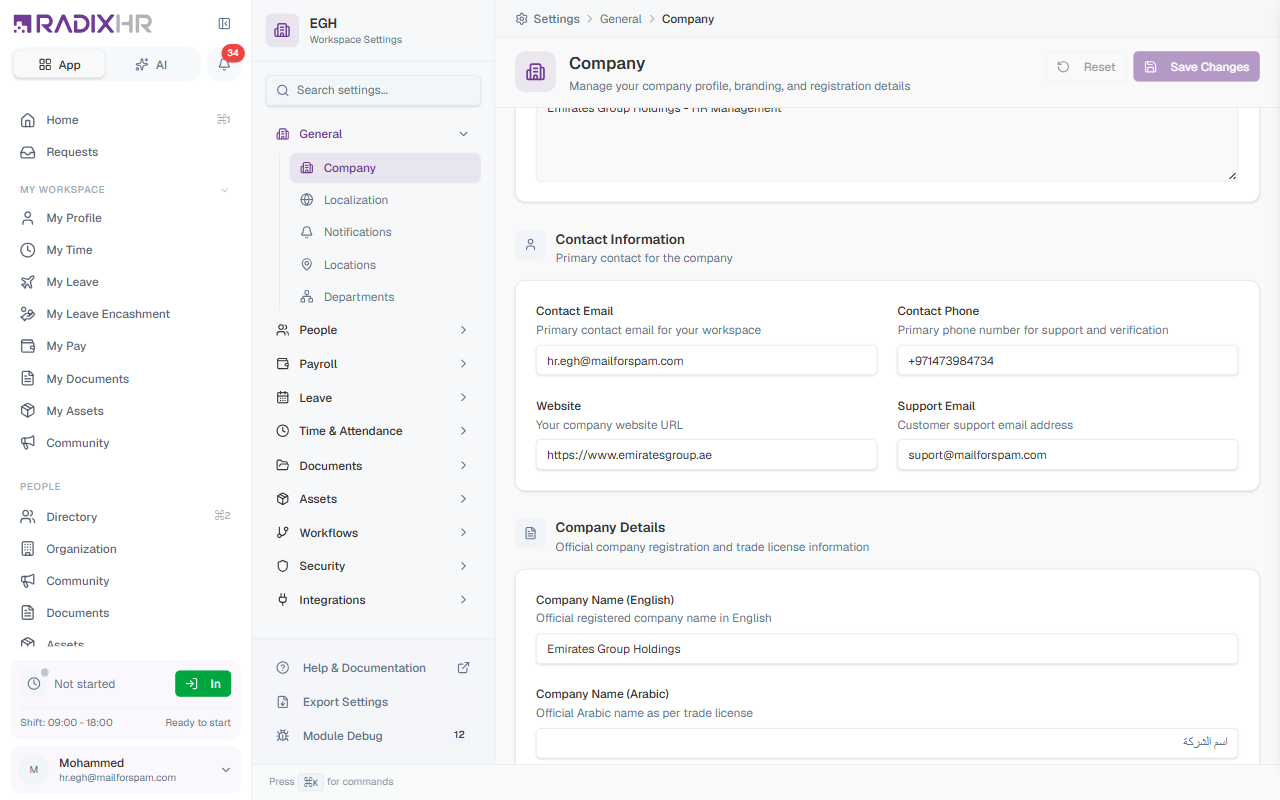
Primary contact details for your workspace, used for system communications and on official documents.
| Field | Description | Required |
|---|---|---|
| Contact Email | Primary email for the workspace (e.g., contact@company.com). | No |
| Contact Phone | Primary phone number, in international format (e.g., +971 4 123 4567). | No |
| Website | Your company website. Must start with http:// or https://. | No |
| Support Email | Email for customer or HR support enquiries. | No |
Company Details
Official registration and trade license information. This shows up on payslips, offer letters, and statutory reports — make sure it matches your registration certificate exactly.
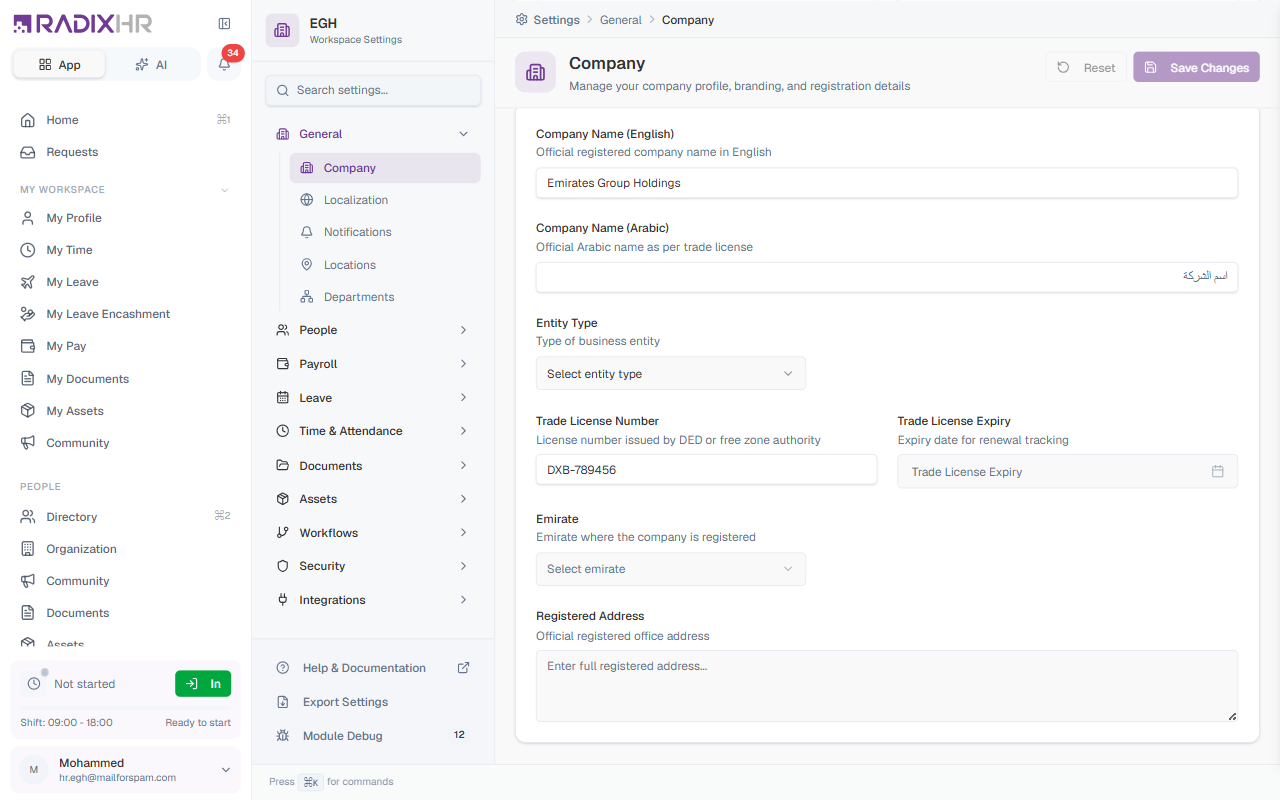
| Field | Description | Required |
|---|---|---|
| Company Name (English) | The official registered company name in English (e.g., “Emirates Group Holdings”). | No |
| Company Name (Arabic) | The official Arabic name as per the trade license. Optional — leave blank if you don’t need an Arabic name. | No |
| Entity Type | The type of business entity your company is registered as (e.g., LLC, Free Zone, Mainland, Sole Proprietorship, Partnership, etc.). The exact options depend on your country. | No |
| Trade License Number | The license number issued by DED (Dubai Economic Department) or the relevant free zone authority (e.g., DXB-789456). | No |
| Trade License Expiry | The expiry date of your trade license. RadixHR uses this for renewal reminders. | No |
| Emirate | The emirate where the company is registered (e.g., Dubai, Abu Dhabi, Sharjah). | No |
| Registered Address | Your company’s full official registered office address as recorded with the registrar. | No |
The Trade License, Emirate, and Arabic Name fields are tailored to UAE/GCC workspaces. Workspaces in other regions may see equivalent fields for their jurisdiction (e.g., CIN, PAN, GSTIN for India).
How to Update Company Settings
- Open Settings → General → Company
- Edit any of the sections on the page — basic info, localization, contact, or company details
- Click Save Changes in the top-right corner
- To discard unsaved edits, click Reset instead
Changes to the Company Name, Legal name, or Trade License affect payslips, offer letters, and compliance reports. Double-check before saving.