Company Information
The Company Information page stores your organisation’s official legal and registration details — the trade licence, legal entity type, and registered address. These details are used on payslips, offer letters, compliance reports, and other official documents generated by the system.
What you can do here:
- Record your company’s official registered name (English and Arabic)
- Select your legal entity type
- Enter your trade licence number and track its expiry date
- Record the emirate of registration and the official registered address
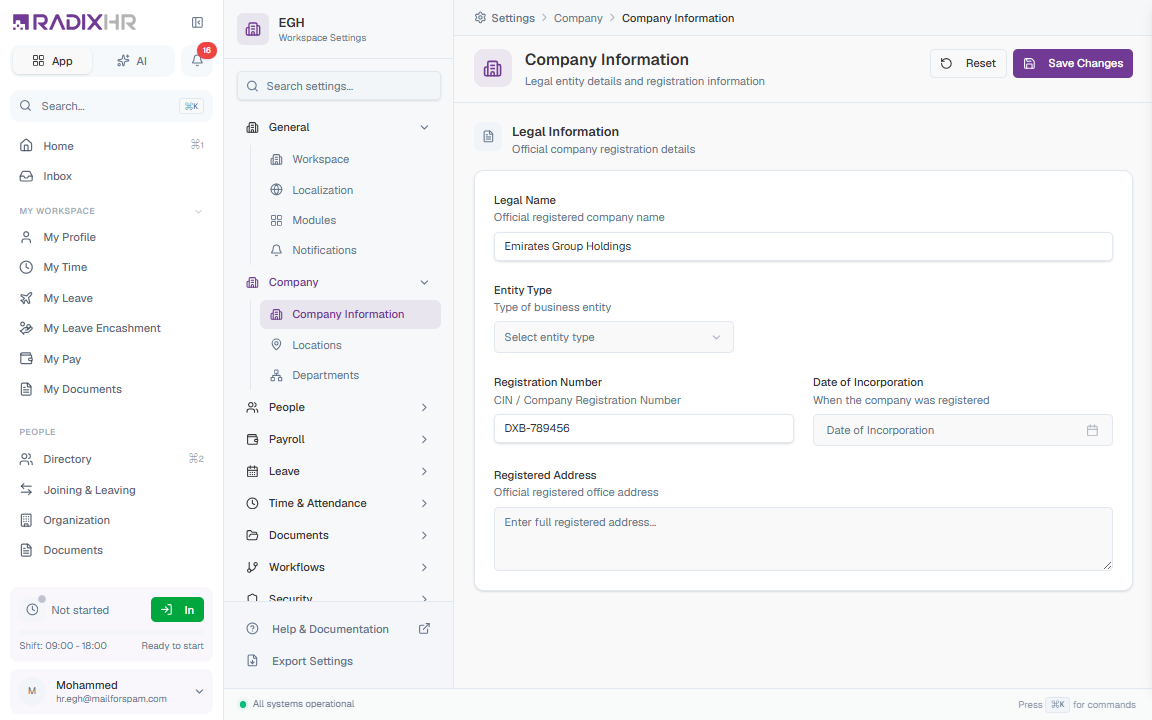
Not in the Settings sidebar (September 2026). The General group now lists only Company and Notifications. This page still works — open it directly at /settings/company/information. Day-to-day company details (display name, logo, contact info, localisation) live on the Company page; this page is only for the legal/registration record.
Company Details
Official company registration and trade licence information. The form is tailored to UAE registration requirements.
| Field | Description | Required |
|---|---|---|
| Company Name (English) | Your company’s official registered name in English, exactly as it appears on the trade licence (e.g., “Emirates Group Holdings”). This may differ from the workspace display name. | No |
| Company Name (Arabic) | The official Arabic name as per the trade licence. The field is right-to-left. | No |
| Entity Type | The legal structure of the business. Options: Limited Liability Company (LLC), Free Zone LLC, Free Zone Establishment, Sole Establishment, Civil Company, Branch of Foreign Company, Representative Office. | No |
| Trade License Number | The licence number issued by the DED (Department of Economic Development) or the relevant free-zone authority (e.g., 123456). | No |
| Trade License Expiry | The licence’s expiry date, picked from a calendar. Used for renewal tracking. | No |
| Emirate | The emirate where the company is registered: Abu Dhabi, Dubai, Sharjah, Ajman, Umm Al Quwain, Ras Al Khaimah, or Fujairah. | No |
| Registered Address | The official registered office address as recorded with the licensing authority. Used on official documents and letters. | No |
The Company Name (English) is what appears on official documents like offer letters, payslips, and compliance reports. Make sure it matches your trade licence exactly.
How to Update Company Information
- Open
/settings/company/information(or search Company in the settings search box) - Fill in or update the fields in the Company Details card
- Click Save Changes in the top-right corner
Click Reset to discard unsaved edits and revert to the last saved state.
Changes to company information may affect payslips, offer letters, and compliance reports. Ensure all details are accurate before saving, especially the legal name and trade licence number.